AMBULANCE
COMPANY
Blinkit
PRODUCT TYPE
BLS Ambulance Booking 0→1
AMBULANCE
Company
BLINKIT
Product type
Ambulance service
Blinkit’s 10-Minute Ambulance: A UX Case Study in Emergency Response
>>
CONTEXT
<<
Introduction
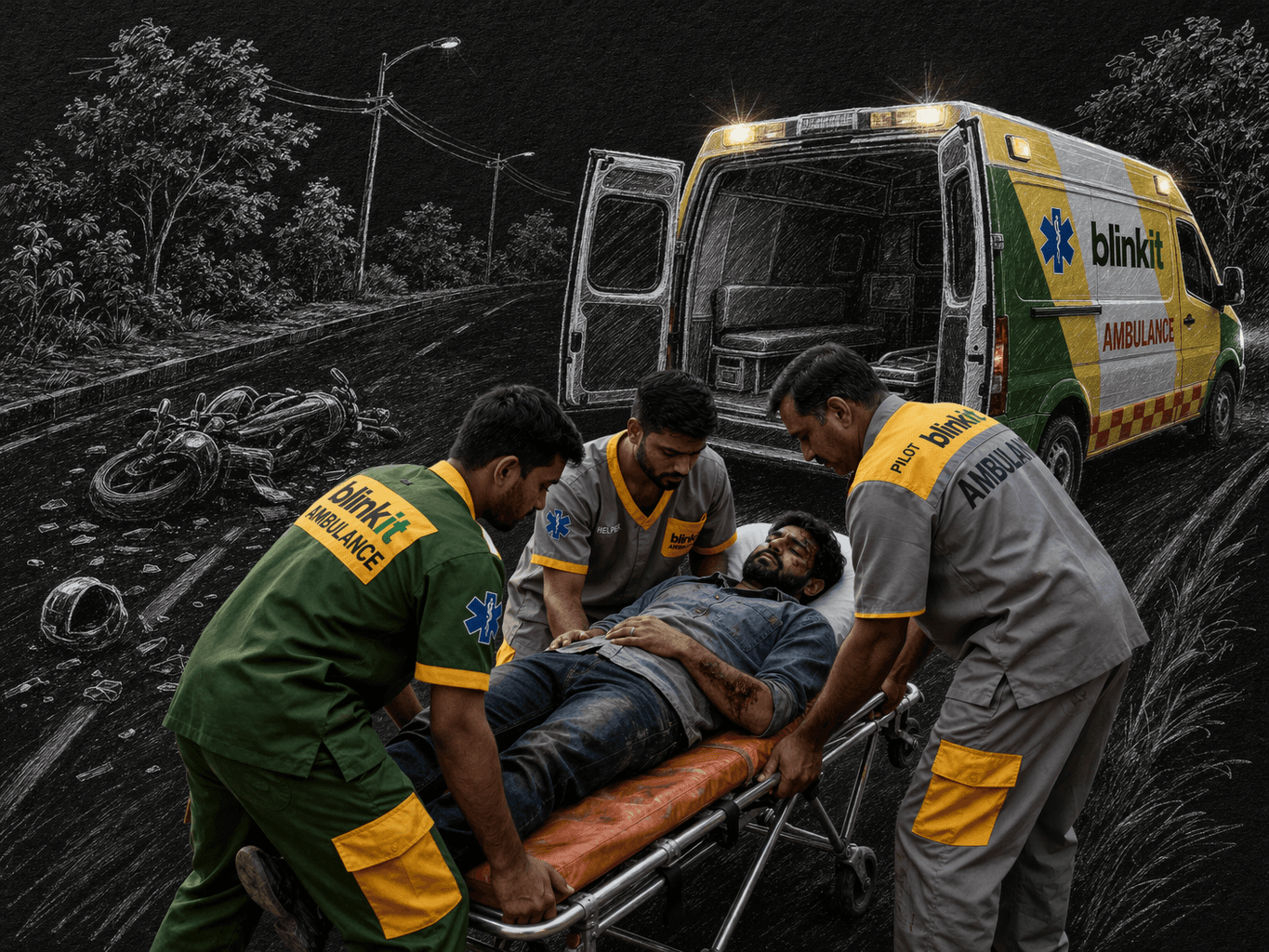
Blinkit has always been known for solving last-minute needs: from missing onions during dinner prep to forgotten gifts at the last hour.
But in January 2025, it redefined what "last-minute" could mean.
This was Blinkit's most critical last-minute use case yet. Not groceries. Not gifts. A life.
COMING TOGETHER WITH A MISSION
TIMELINE
~6 Weeks
Design to launch. Fast-paced, high-stakes.
TEAM
Small & Cross-functional
Designer, product, generalists, and operations working together from day one.
STAKEHOLDER
CEO (Directly Involved)
Required fast & quality execution.
MY ROLE
Product design
End to end design of the product, from research to visual to motion design
Ambulances exist. The problem is how long they take to arrive. We set out to solve that.
Understanding the context
THE GOLDEN HOUR
The WHO states that the “golden hour” is the critical 60-minute window after a medical emergency during which timely intervention can prevent death or permanent disability.
BUT, in the real world…
India's avg ambulance response time
25-30 mins
In developed countries, ambulances arrive in 8–10 minutes. In India, by the time one arrives, half the golden hour is already gone.
Avg time for heart attack patients to reach hospital
400+ mins
Nearly 13x longer than the ideal 30 min window. For cardiac emergencies, every minute of delay is permanent muscle damage.
Of road crash deaths are preventable with timely care
50%
Half of all road accident fatalities in India could be averted if victims received definitive care within the first hour
>>
RESEARCH
<<
Discovery & Research
In India today, if someone needs an ambulance, the most common option is to call the hospital directly, or hope a bystander knows what to do.
Hospital Helplines
• Coordination burden placed entirely on the panicking caller
• Call is transferred across departments. Hold music mid-emergency
• No confirmation, no SMS, no booking ID, no record of the call
HOW IT ACTUALLY FEELS LIKE
01
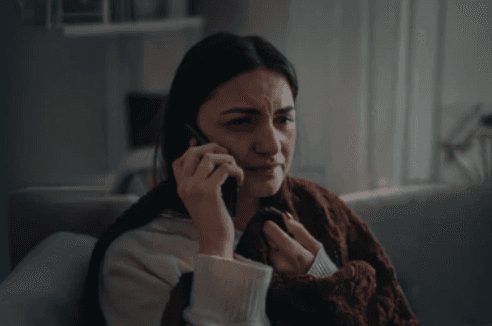
You call the hospital's main number. You're already panicking.
No direct ambulance line exist.
02
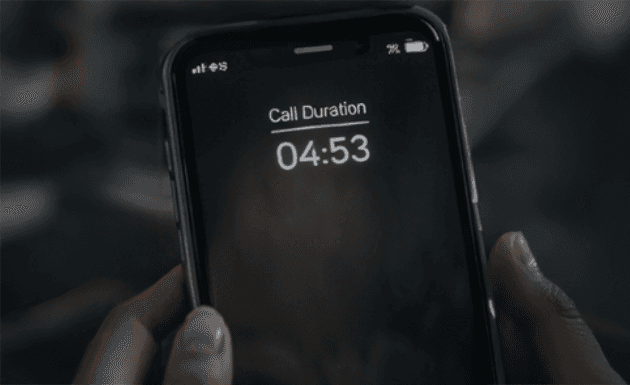
Transferred to another department. Hold music, or just silence.
Every second on hold feels catastrophic.
03
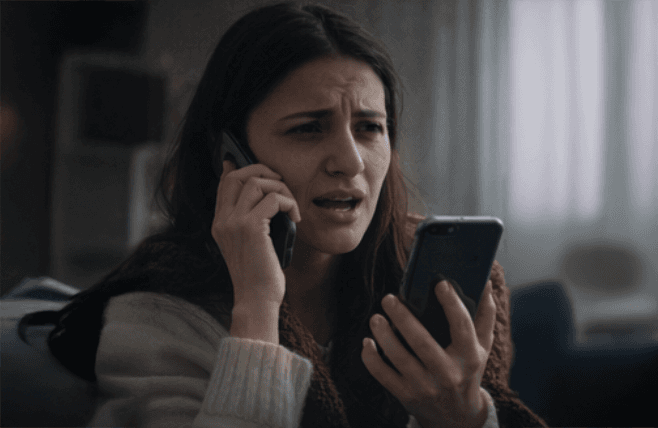
Availability check. Sometimes they come back. Sometimes they ask you to call again.
No promise of response. No ETA given.
04
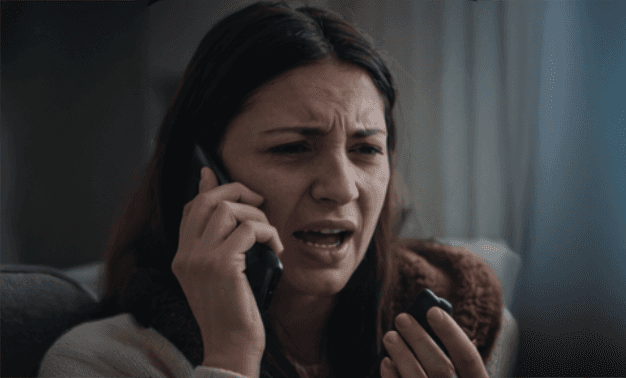
"It's on the way." No driver name. No number to call. No live location.
You wait. With nothing.
05
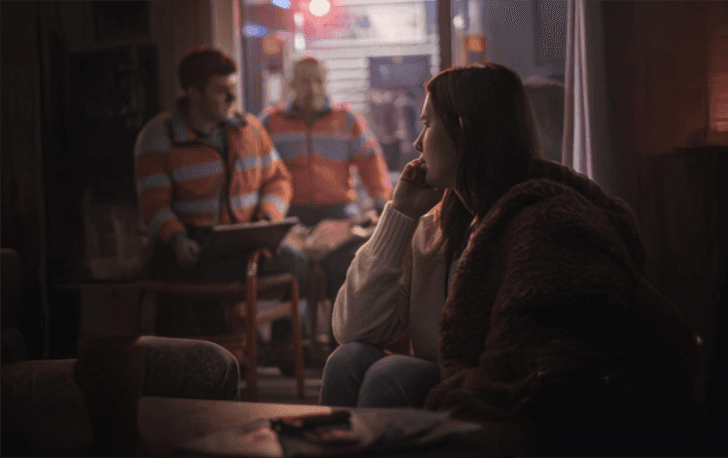
Ambulance arrives. Pricing disclosed in cash at the door. Non-negotiable, opaque.
Financial stress on top of medical crisis.

All of this is taken care by or is in control of the hospitals and it all changes from hospital to hospital.
BIGGEST OPERATIONAL ISSUE
How do we solve it?
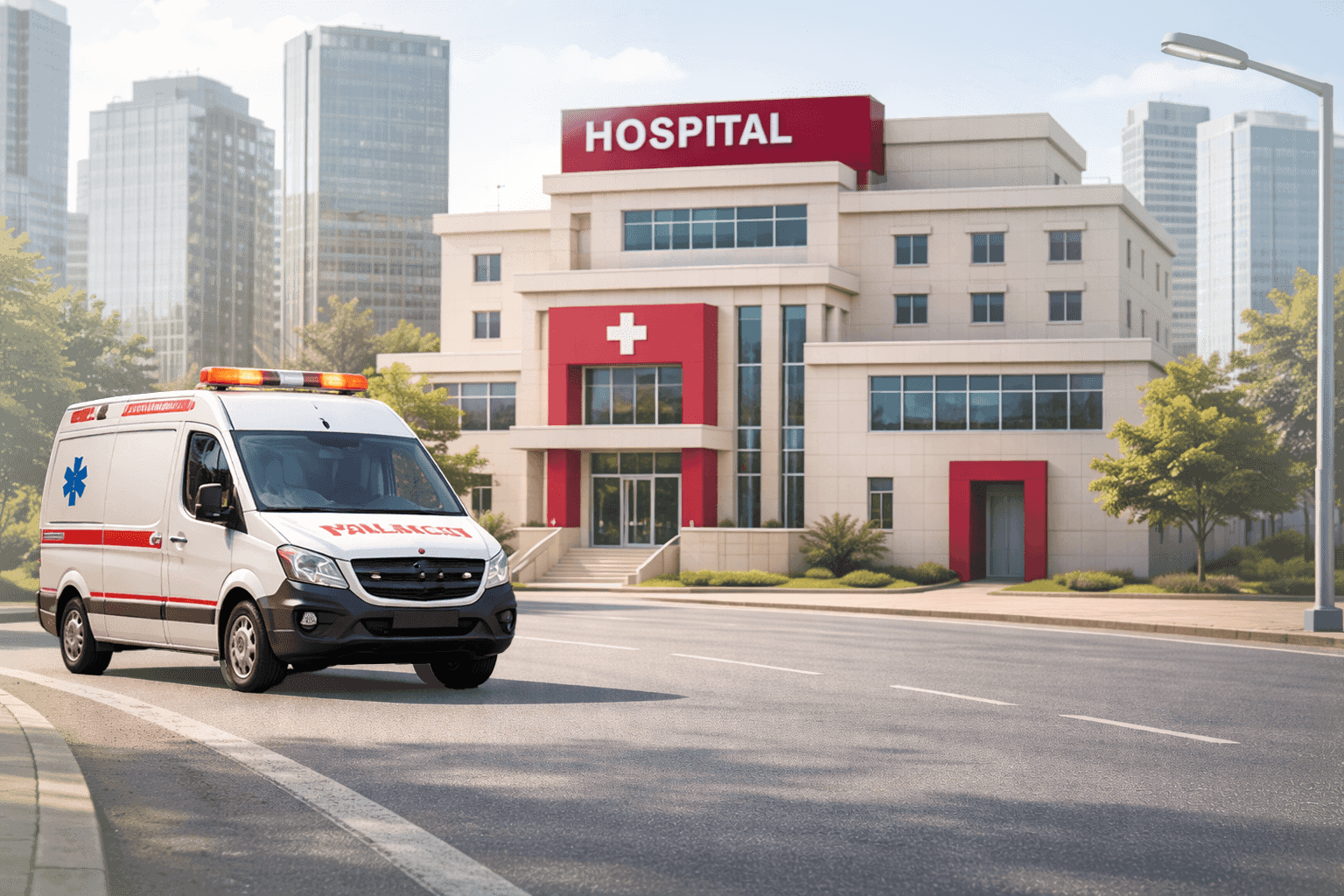

Call hospital > Transfers to a line > Line on hold > Gets back > Ambulance is aligned > Ambulance arrives
~35-40 mins
First way was to change the whole hospital ecosystem and infrastructure altogether.
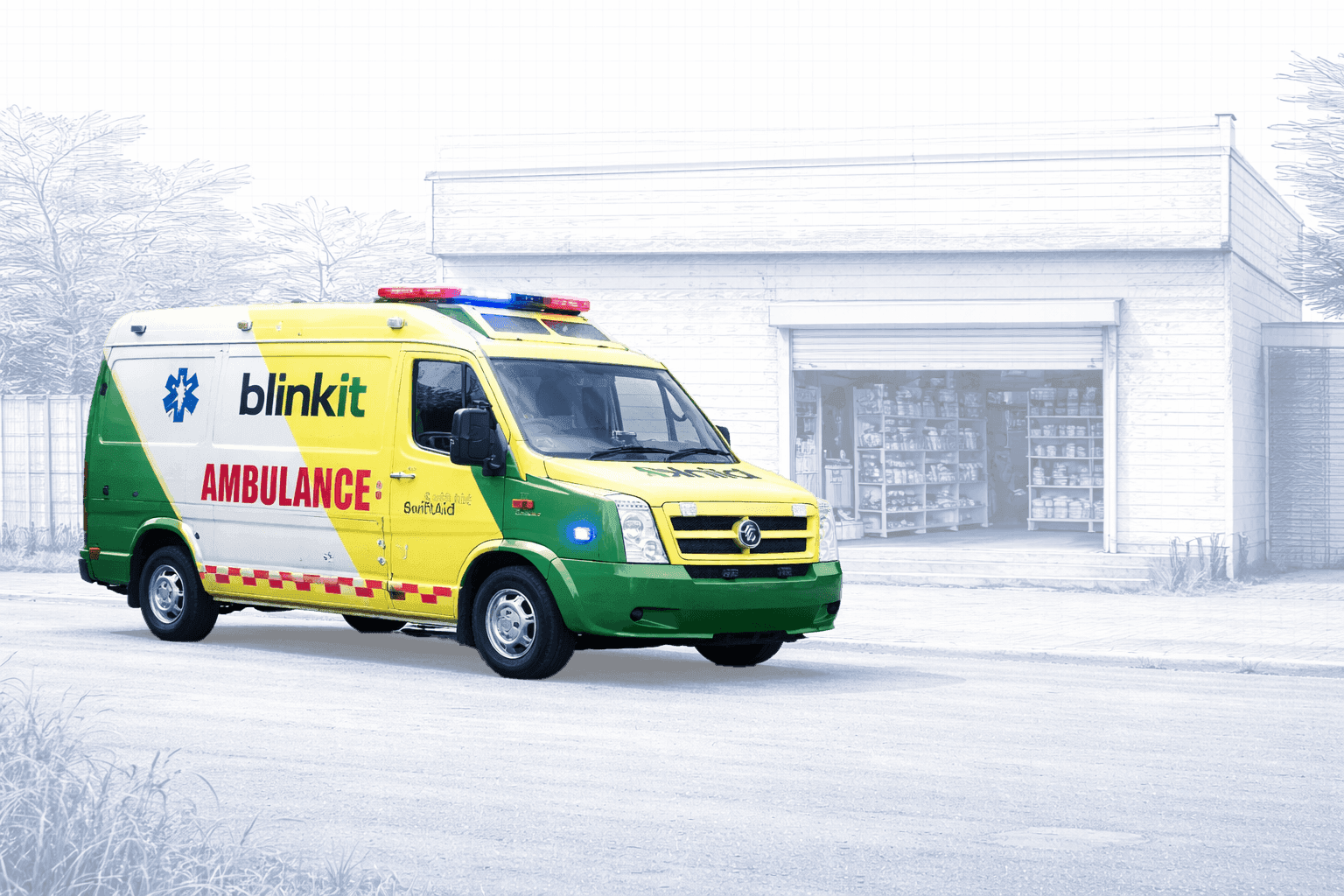

Open the app > Request for Ambulance > Ambulance leaves as soon as you confirm
~10 minutes
Setting up our own ecosystem, without intervening the hospital ecosystem
BLINKIT DNA
Speed = Blinkit = 10 minutes
Blinkit's entire identity is built around "10 minutes". The same dark store network that gets groceries to your door can position an ambulance close enough to respond in under 10 minutes. The infrastructure was already there. We just pointed it at a problem, the right usecase, that actually mattered.
COMPETITOR AUDIT : TESTED FIRSTHAND
Medulance
The booking flow is not a booking system : it's a lead form. You fill it out and wait for a human to call you back.

What failed
• OTP never arrived — but the verify CTA accepted a blank entry and showed "Awesome! Verified." Broken gate, false security. • Manual text entry for location — no GPS, no map, no auto-fill. User couldn't find their own address in suggestions. • Hospital search truncated — results showed hospitals across India with no city visible. Impossible to identify the right one. • No confirmation artefact — submitted, got "Keep Patience. Team will contact you." No SMS, no call, no record.
What this means for the user
• 2+ minutes of form-filling during what could be a medical emergency • No pricing visibility at any point — cost unknown until after arrival • No tracking — zero visibility after submission • The product ends where the emergency begins
Go Aid
Gets you to booking faster than Medulance : but once you confirm, the app goes silent. Updates come on WhatsApp, not in the product

What worked
• OTP arrived and worked — authentication functional • GPS auto-fills pickup location — no manual entry needed • Pricing shown upfront — Normal ₹836, Oxygen ₹970, ICU ₹2880, before confirmation • Ambulance types clearly listed with descriptions
What failed
• No nearby hospital shortlist — searching "Fortis" showed Mohali, Shalimar Bagh, not the nearest branch • Half-screen went black mid-flow while adjusting destination pin — critical bug • WhatsApp message arrived before booking was confirmed — human handoff triggered mid-flow • Post-booking status: Pending — unclickable, no live tracking, no driver details in-app
Red Health
The website is a callback form. The product is a phone call. Everything the user needs, pricing, ambulance type, tracking, is revealed verbally, after they've already waited
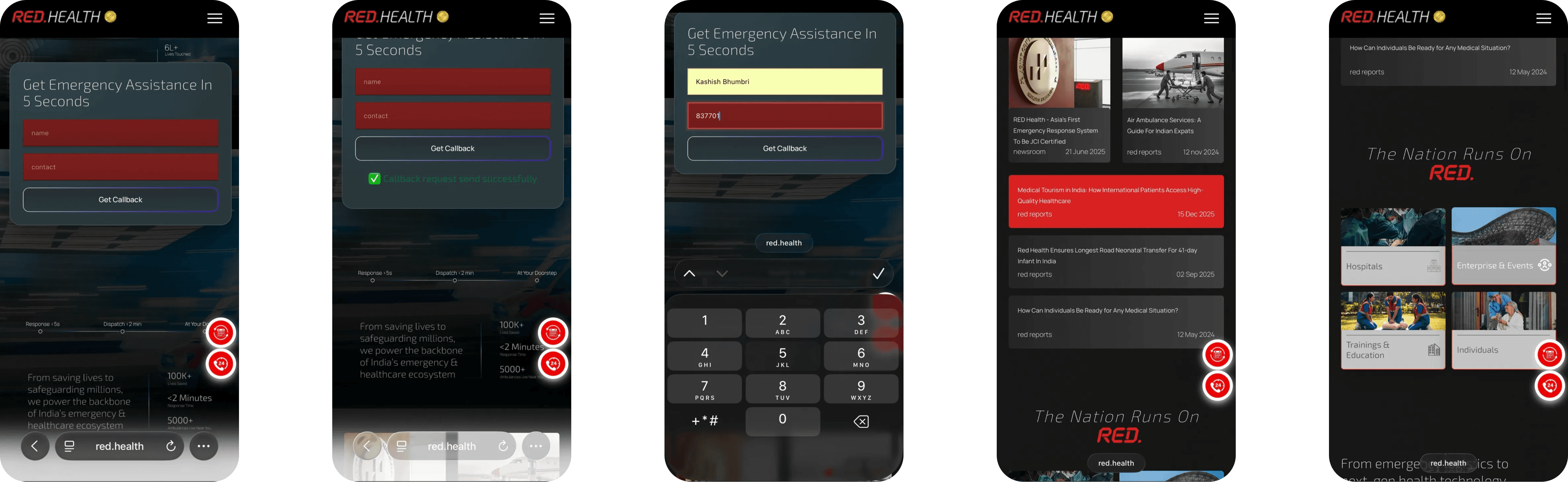
Q: Can I track the ambulance?
A: "Driver will share live location manually after vehicle moves."
Q: What are the charges?
A: "Depends on patient condition, location, and ambulance type. Cannot confirm until we know the situation."
Q: Is there advance payment?
A: "30% advance required before vehicle moves. QR code sent on WhatsApp after dispatch."
What the website does
• Name + contact number → Get Callback — the entire digital flow. No booking, no map, no ambulance selection. • Landing page is a corporate website — news articles, enterprise services, training programs compete with the one CTA that matters. • WhatsApp message arrives asking user to share live location. Support number provided. • A call comes in — this is where the actual service begins.
What the research call reveals
• Pricing only on call — Eco ₹1800 for 0–10km, ALS starts ₹5500. Never shown on website. • 30% advance required before vehicle moves — QR code sent on WhatsApp after dispatch. • Tracking is manual — driver shares live location link personally after vehicle moves. • Helper charges extra — ₹500/person if patient needs physical shifting. Not disclosed upfront.
THE EMERGENCY GAP
Tracking of Ambulance arrival in critical times
You booked. Now what? The ambulance is somewhere out there, but you have no idea where. No tracking. No map. No ETA. Just silence while someone you love is on the floor.
No one tells you how long it will take
Every minute of not knowing feels longer than the last.
Dispatch times ranged from 20 to 45 minutes, depending on the provider + Transferred calls across departments takes a lot of time.
Had to explain everything while panicking
Booking an ambulance typically required stressful phone conversations, repeating symptoms and addresses during panic
Lack of transparency about crew or equipment
Users didn’t know if the ambulance had oxygen, a stretcher, or any trained personnel; causing hesitation
No clear pricing upfront
Private ambulance fees varied wildly; from ₹2,500 to ₹15,000+; and often weren’t disclosed until after the trip
Figure out a new app in the middle of an emergency
Many services required separate apps, unfamiliar interfaces, or hospital call centers, creating friction when time was critical
KEY INSIGHT
"In an emergency, users don't want more control ; they want the right amount of control.
Enough to feel informed. Not enough to slow them down."
Every existing solution either overwhelmed users with choices or left them completely in the dark.
Neither extreme is safe. The design problem wasn't just usability - it was calibrating the right level of visibility, at the right moment, for someone who cannot afford to think twice.
>>
PRIORITIES
<<
Priorities we set
01
Speed. Period!
The user is panicking. Every extra tap is a second lost. The booking flow had to be faster similar to dialing and saving a phone number.
TARGET
2-3 taps
≤35 seconds
02
Transparency
Don't make someone commit to something they don't fully understand. Show them everything upfront. A user who knows what they're getting is more likely to confirm and less likely to cancel.
TARGET
All key info visible pre-confirmation.
03
Trust
Blinkit delivers groceries. Asking users to trust it with a medical emergency is a different ask entirely. Trust couldn't be assumed, it had to be designed in.
TARGET
High booking completion
04
Reduce Panic
Familiar patterns. No new mental models. The interface had to feel like something the user already knew, just repurposed for the moment they needed it most
TARGET
Leverage existing UX patterns
WHY THIS ORDER ?
Speed comes first because a slower booking is a worse outcome regardless of how good everything else is. Transparency comes before trust because transparency builds trust, they're not equal levers. Reducing panic is last not because it's least important, but because it's achieved through the other three, not separately from them.
FOR THE SOCIAL CAUSE
By the way, this service was free for everyone. We were doing it for the social cause.
>>
DEFINING SUCCESS
<<
How We'd Measure Success
Breaking down into 2 segemnts:
• Primary Metrics (The direct outcome signals)
• Secondary Metrics (Trust & quality signals)
Primary Metrics — Direct outcome signals
≤35 sec
Average Time to Book & Confirm
How fast can someone book an ambulance when every second counts? 35 seconds. That's what we observed. That became our ceiling.
↓ Low
Cancellation Rate
A high could be a UX failure signal. It means the interface didn't communicate the weight of what the user was about to do. If users are cancelling because they booked by mistake, or out of curiosity, or because they weren't sure what they were committing to.
↑ High
Booking Completion Rate
Did users who started the flow actually confirm? Drop-off here means the flow was too slow, too confusing, or the user lost trust mid-way
Secondary Metrics — Trust & quality signals
↑ High
NPS (Net Promoter Score)
NPS in emergencies isn't about repeat usage. It's about emotional memory. When someone uses an ambulance in a crisis and the experience is good — they tell people. That's what we measured.
Post-book feedbacks
Feedback was critical, but asking at the wrong moment would feel tone-deaf. The user just navigated a medical emergency. A prompt the second the trip ends isn't a product decision. It's a lack of empathy.
The question wasn't whether to ask. It was when & how.
<10 min
TAT (Turnaround Time)
TAT is an ops metric. But design was working with them & owns the expectation. A 12-minute arrival with a live map feels acceptable. The same 12 minutes with silence feels like abandonment.
We didn't have targets for all of these upfront. Some, like the 35-second* benchmark, came from usability testing & cross-app analysis. Others, like cancellation rate, only became visible as a crisis after launch.
But defining the shape of success before building, even roughly meant that when the data came in, we knew exactly what it was telling us. We weren't interpreting results in the dark. Enough to feel informed. Not enough to slow them down.
*Where did 35 seconds come from? — Three sources that agree.
Layer 01: The flow itself
We mapped every cognitive moment to be considered in the flow: reading the equipment, processing the fare, verifying the location, the pause before confirming; and assigned realistic processing time to each. The math pointed to 30–40 seconds before we tested anything.
Layer 02: Behavioural comparison put it in context
Low-stakes, reversible booking flows; a cab on Ola, a reorder on Blinkit; typically complete in 8–20 seconds. Those are decisions users have made before, with no real consequences if they're wrong. An ambulance booking is none of those things. It's a first-time, high-stakes, irreversible decision involving unfamiliar information. 35 seconds isn't slow for what it is. It's what careful looks like.
Design journey

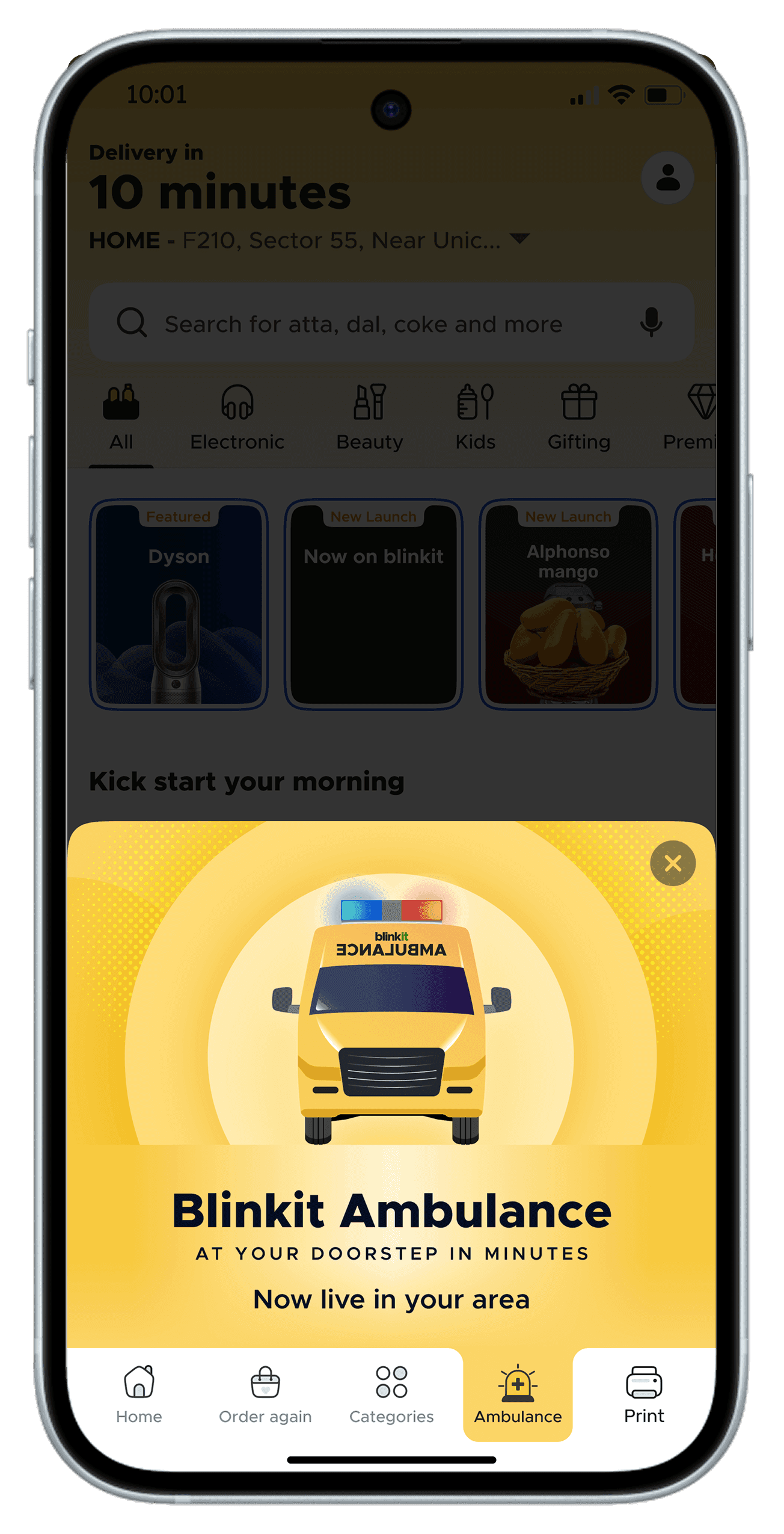
Entry Point
Bottom Nav intro
A contextual announcement that Blinkit Ambulance is now live in your area. The bottom nav tab made it permanent. Always visible, always one tap away.
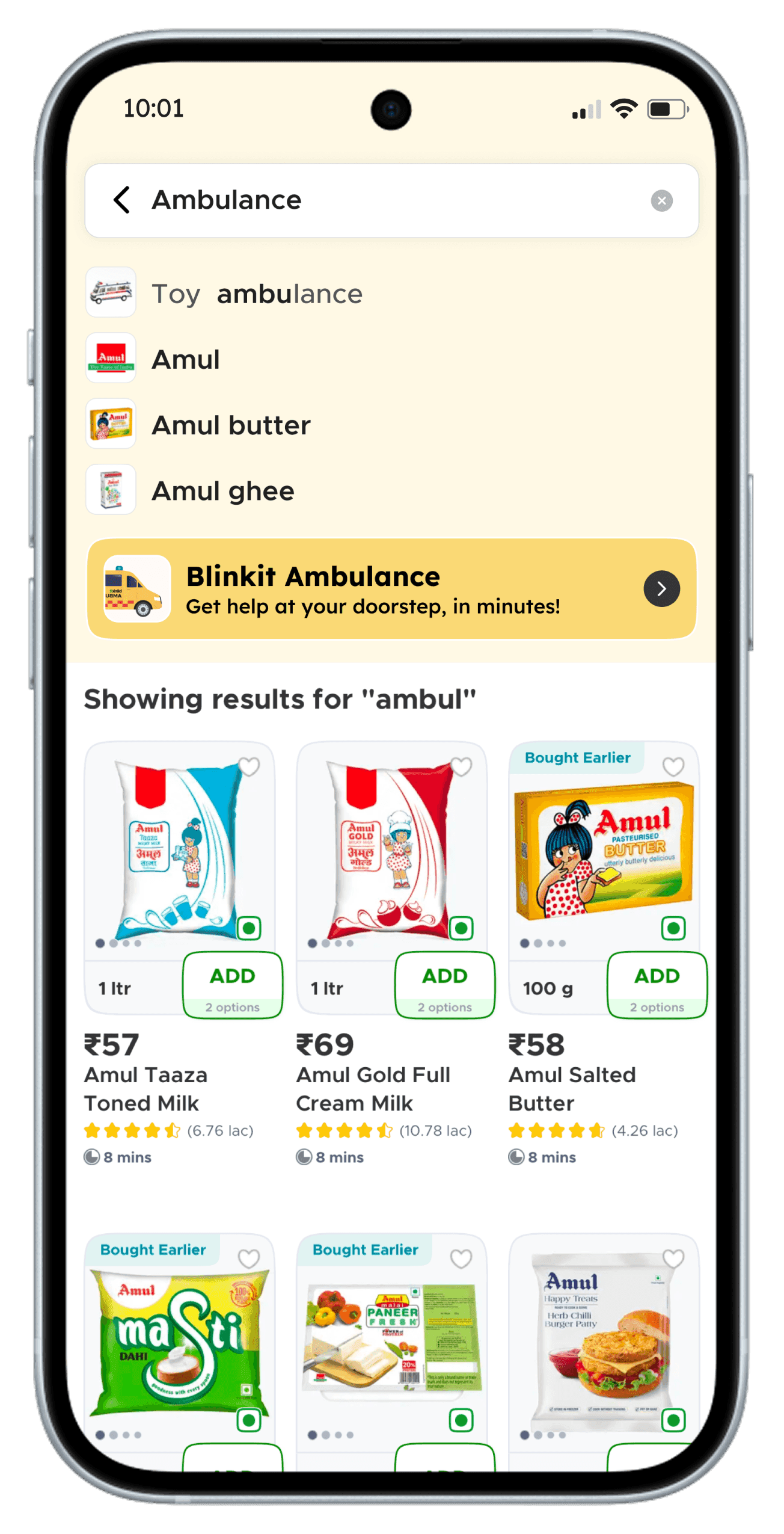
Search Surface
When someone types 'ambulance', even partially; a dedicated card surfaces. It also hits a recall moment, reminding users that Blinkit now offers this service. So when there's an emergency, for themselves or someone nearby, Blinkit Ambulance comes to mind first.
Landing page
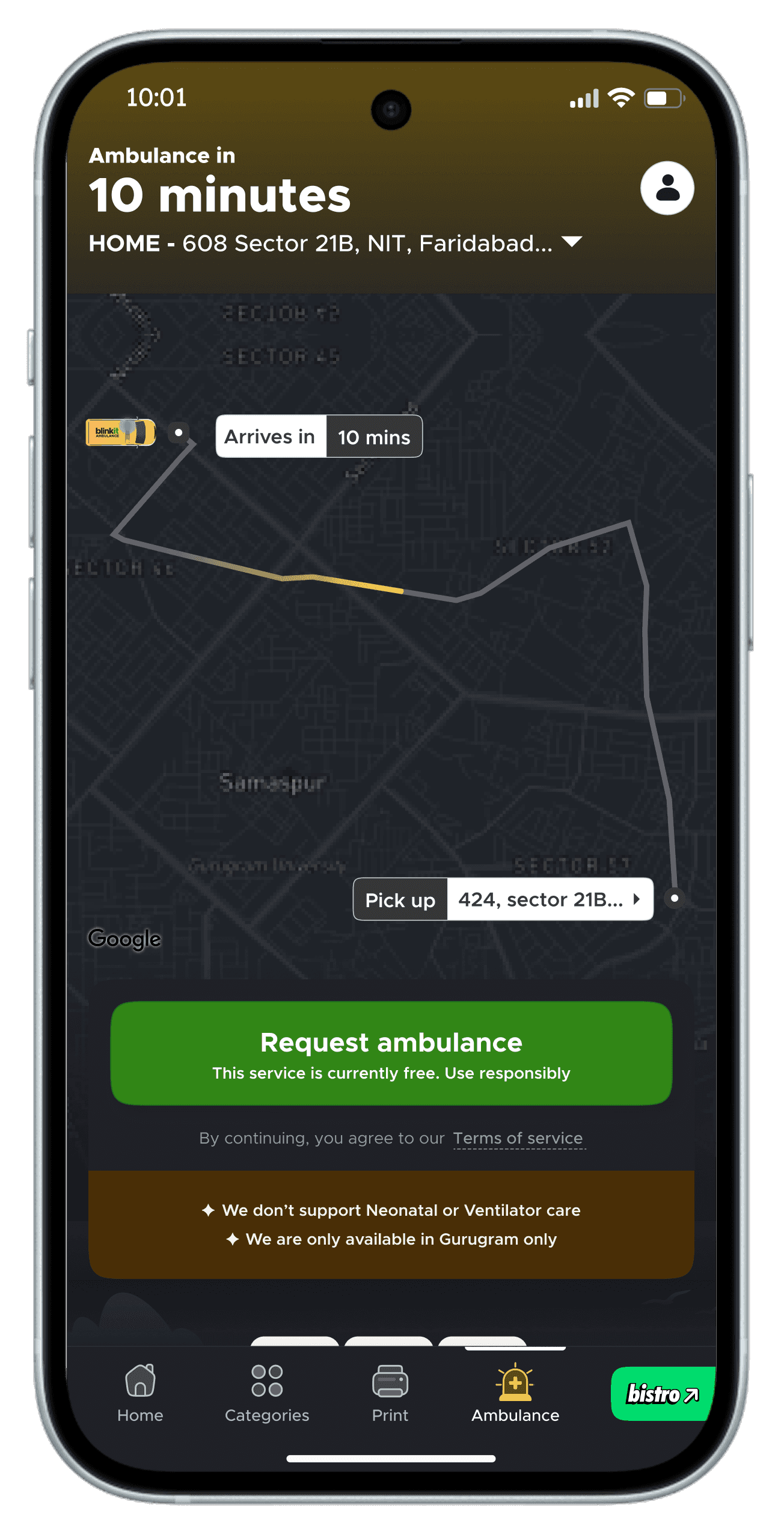
Live Map with Route
The map is the first thing the user sees, before any text, before the CTA. It shows the ambulance route and pickup point in real time. A real map view signals the service is already working. It replaces anxiety with visibility.
Disclaimer Lines
Two lines. No neonatal or ventilator care. Gurugram only. The decision: set hard boundaries before the user books, not after. Honest limitations build more trust than overpromising.
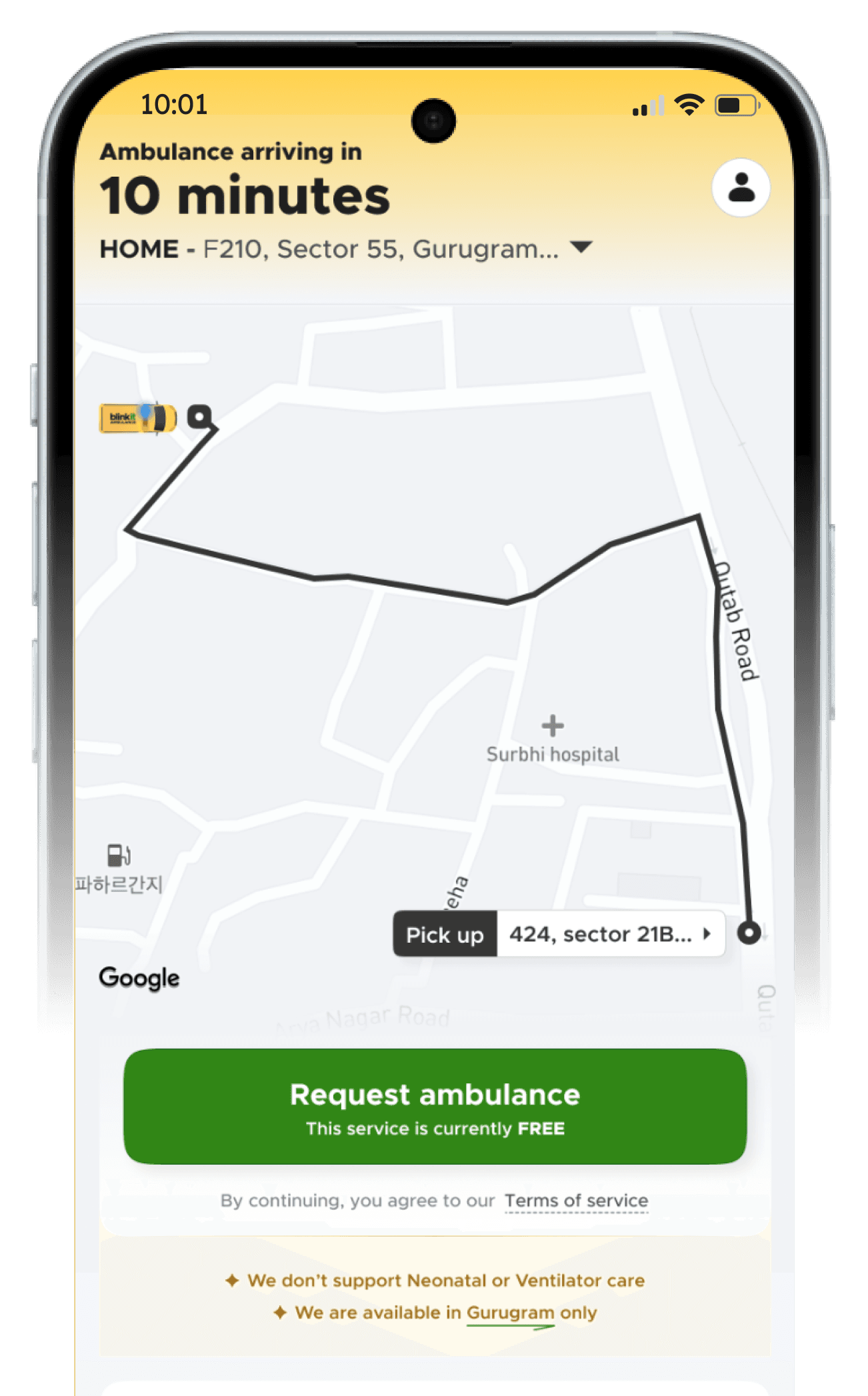
Request Ambulance CTA + FREE callout
The CTA is singular and unambiguous, one button, one action. The 'This service is currently FREE' line sits directly beneath it.
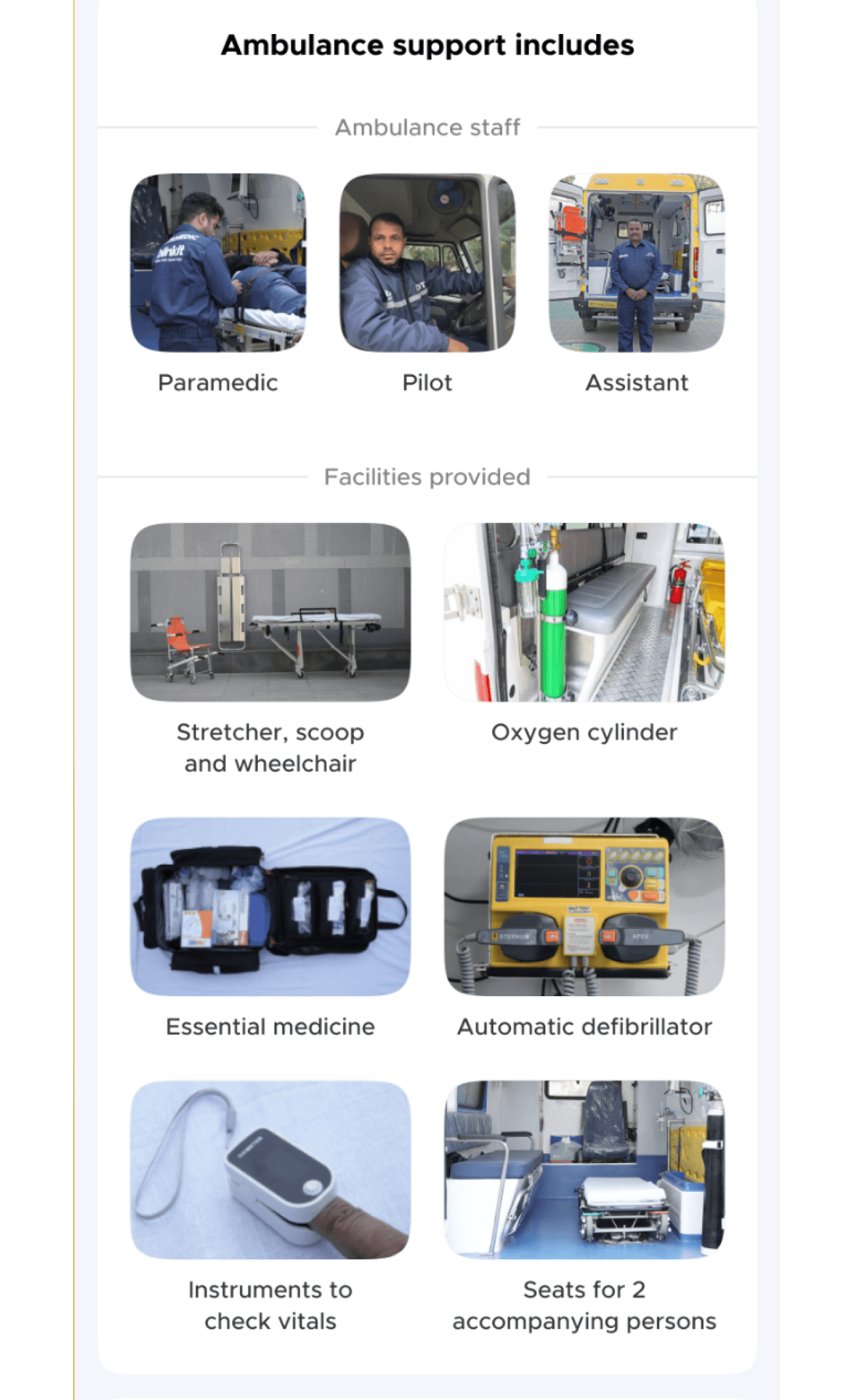
Ambulance Support Includes
This section answers the question every user has but rarely asks out loud: what exactly am I getting? Included staff & facilities.
The decision: make it tangible. A photo of an actual oxygen cylinder is more reassuring than a graphic of one. Seeing the real equipment makes the service feel real.
Ambulance Support Does Not Include
This is the section most products would hide. We made it explicit.
The decision: a user who arrives at the scene expecting a doctor and finds none has just had their worst moment made worse. Setting this expectation upfront is not a weakness, it's respect for the user's situation.
It also protects the service from being blamed for something it never promised
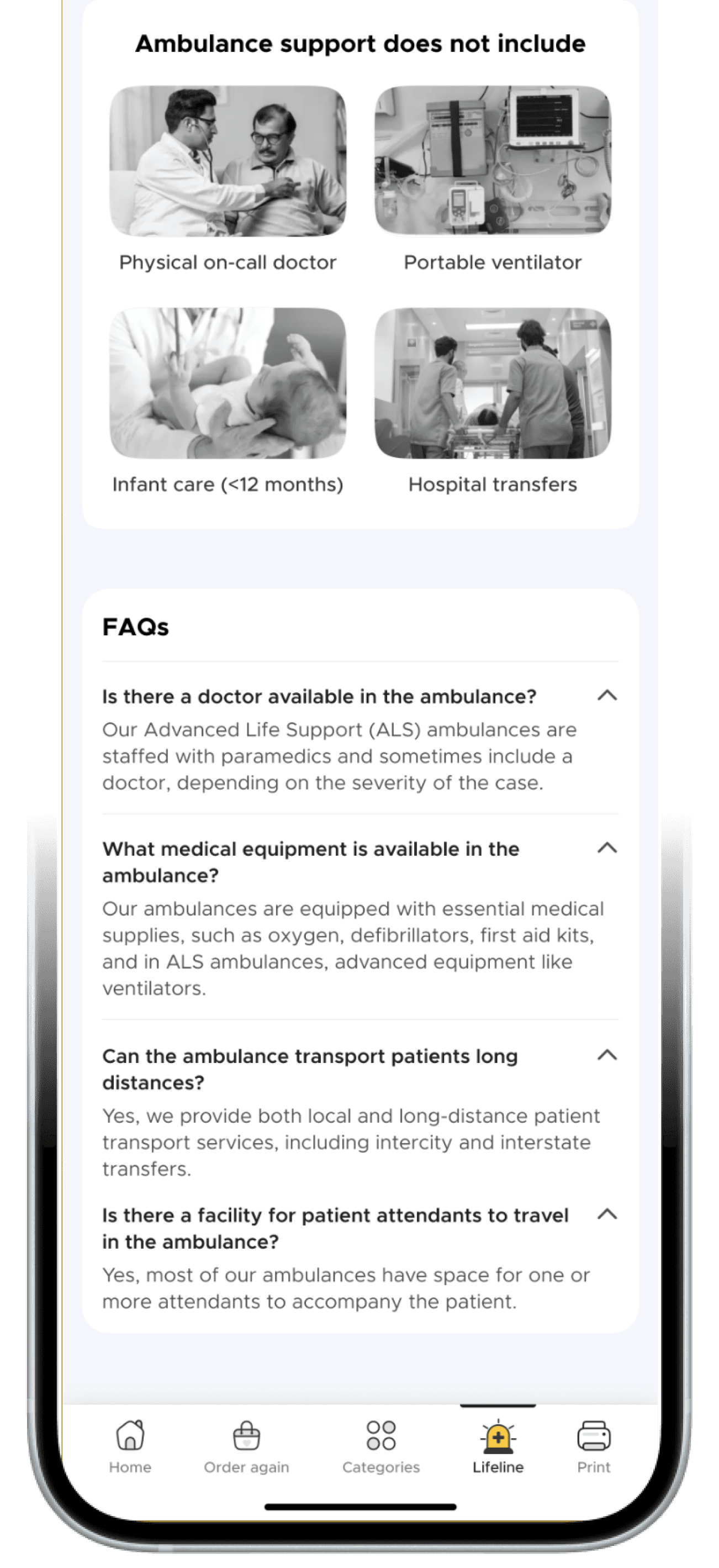
FAQs
These FAQs weren't written speculatively. They reflect the real hesitations a first-time user has before booking a service they've never used before. Answering them on the page means the user doesn't have to leave to find out, and doesn't have to book blind.
User flow

What the Data Told Us
Post launch
LAUNCH PARAMETER
LAUNCH DATE
Jan 2025
Gurugram, first city
SERVICE TYPE
BLS
Basic Life Support ambulance. Essential equiments & trained paramedic on board.
THE PROMISE
<10 min
Ambulance at your door in under 10 minutes. The entire product is built around this commitment.
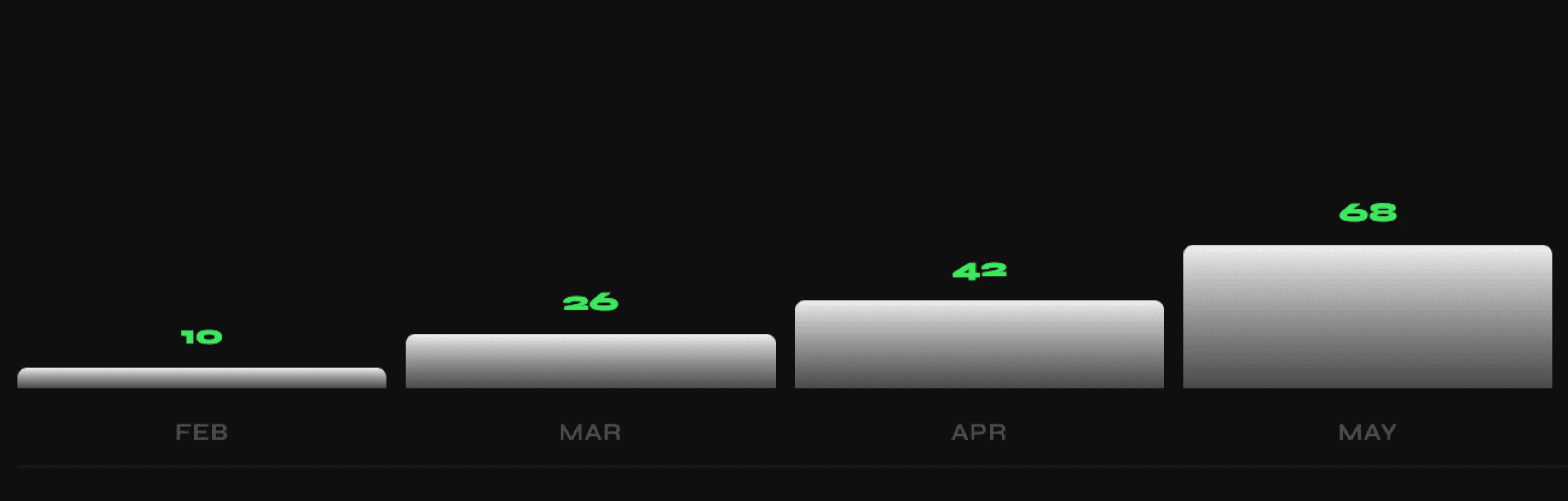
MONTH-ON-MONTH GROWTH — FEB TO MAY 2025
THE NUMBERS THAT MATTERED
TAT PERFORMANCE
83%
of ambulances arrived in under 10 minutes
The core promise held. 8 in 10 bookings delivered on time.
NPS
80
Net Promoter Score post-launch
For an emergency service used in crisis moments, it signals something deeper than satisfaction.
CANCELLATION RATE
150%
of real orders — cancellations outnumbered completions
The number that broke the system. And the signal we hadn't designed for.
KEY INSIGHT
"But two things we didn't anticipate."
01
Nobody believed it was real
Feedback revealed the same thing: "Wait, does Blinkit actually run ambulances?"
02
Cancellations were destroying operations
150% cancellation rate. 50% of reasons: "Booked by mistake."
The Two Problems
Re-iterate
PROBLEM 01
Nobody Believed It Was Real
Users were completing the flow — but dropping off at confirmation. Feedback calls revealed the same thing: "Wait, does Blinkit actually run ambulances? Is this legit?" A grocery app's credibility doesn't transfer automatically to emergency services. Trust has to be earned — screen by screen
WHAT WE DIAGNOSED
We had assumed Blinkit's existing brand trust would carry over. It didn't. Trusting Blinkit with groceries is low-stakes and reversible. Trusting it with a medical emergency is a completely different ask. That trust had to be built from scratch, inside the product.
WE RE-ITERATED & INTRODUCED TRUST SIGNALS
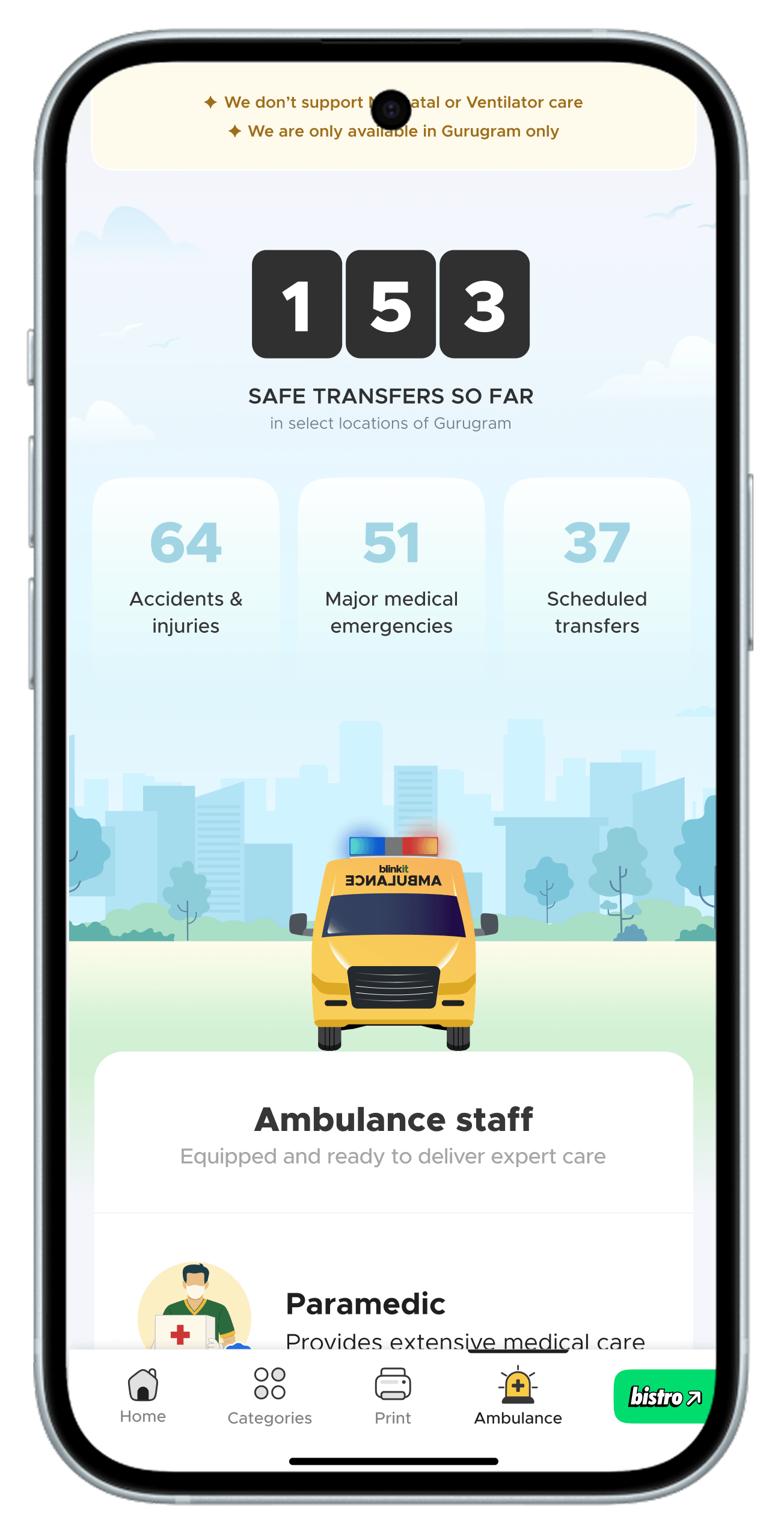
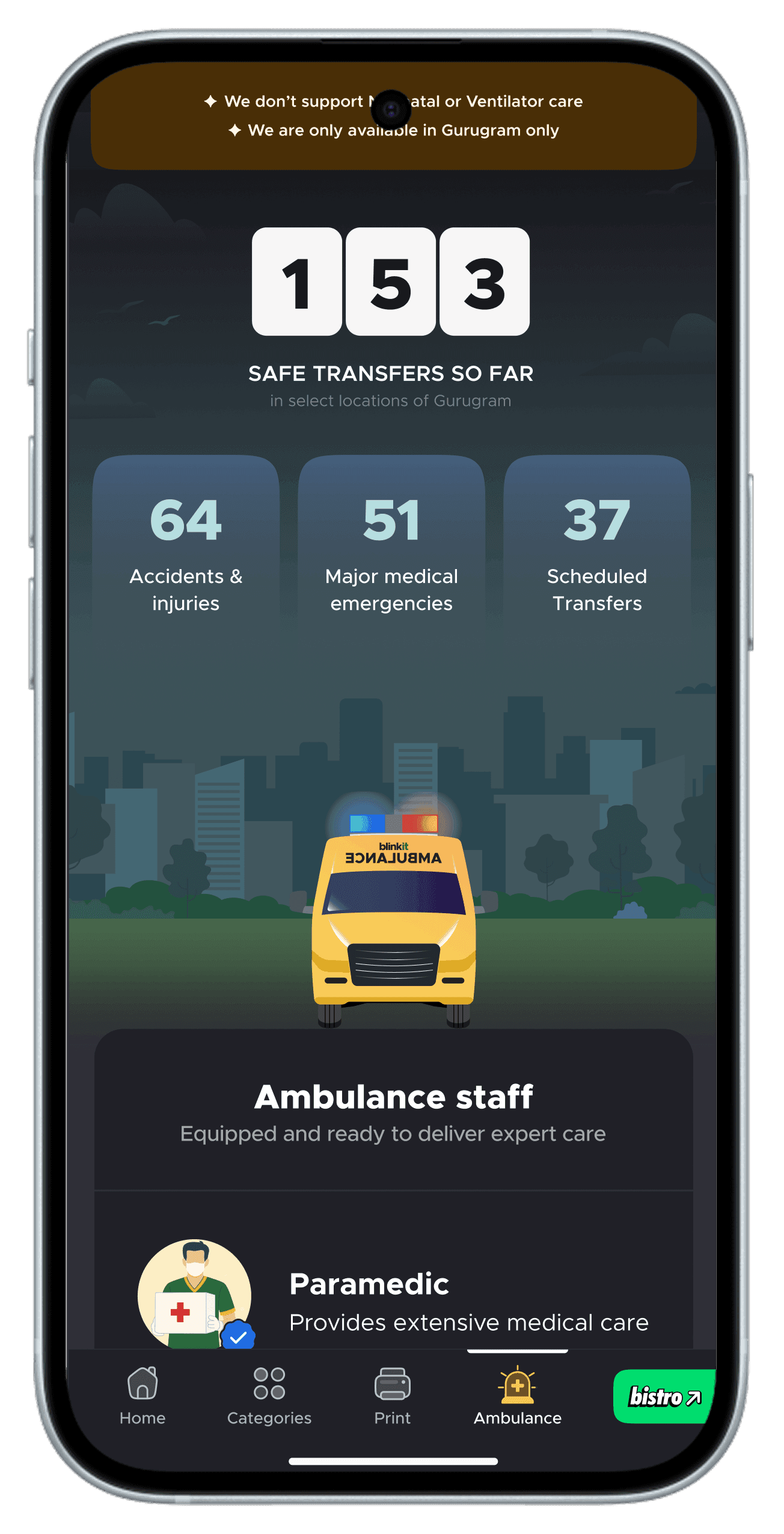
LIVE CASE COUNTER
X safe transfers so far. A live number, not a claim. Proves the service is active right now.
CASE BREAKDOWN
Real emergencies, real numbers. Evidence over marketing. Also gives hesitant users permission to call — if someone called for shortness of breath, so can you.
RE-ITERATED IMAGES & COPY
Large, realistic photos of actual equipments. What you see is what arrives.
MADE THE PAGE ALIVE
Subtle motion on the map and header. A static page feels like a brochure. A moving page feels like a live service.
Re-iterated landing page
Live Map with shimmer
The ambulance icon blinks with active lights and a shimmer runs along the route line
Heartbeat in motion
A subtle heartbeat pulse runs behind the header; keeping the page feeling alive and responsive. In an emergency context, stillness reads as inactivity. The pulse signals the service is on, ready, and waiting.
Request Ambulance CTA
The CTA says the service is free; but free can invite misuse. 'Use responsibly' sits directly beneath it as a quiet nudge. Not a warning, not a restriction ; just a reminder that this is a real service for real emergencies.
Live Case Counter + Case Breakdown
Numbers alone say the service is active. Categories say it's been used for situations like yours. Together they don't just build trust ; they give hesitant users permission to call.
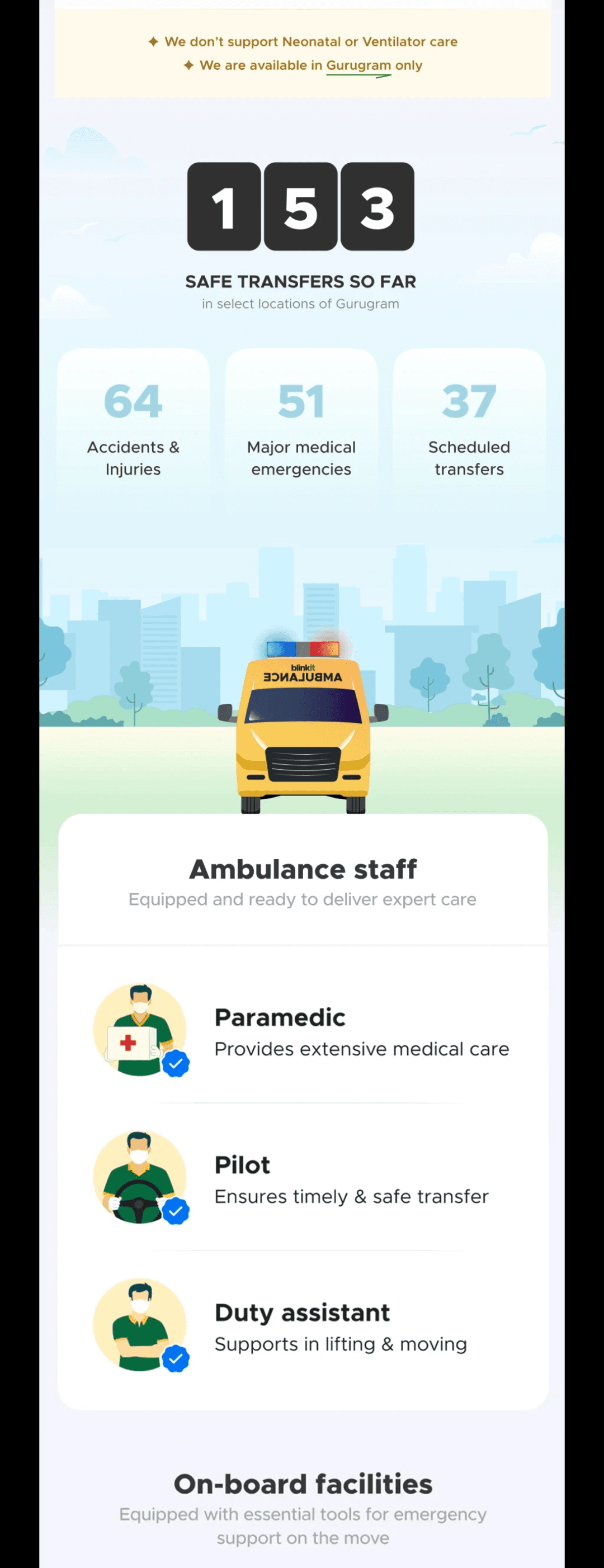
Crew Section : Illustrations + Verified Ticks
We initially used real photos of crew members, but users got confused, assuming the same people shown would show up. Switching to illustrations removed that expectation while keeping the crew roles clear. The verified tick on each role signals these aren't just job titles, they're trained, certified individuals. You know who's coming, even if not exactly who.
Equipment Section: Large Real Photos
Large, clear photos demand attention and feel real. In an emergency context, a user scanning the page quickly needs to absorb what's coming without reading every word. A full-width photo of a stretcher communicates instantly, no label needed. We made them big because clarity at a glance is more valuable than a tidy layout
PROBLEM 02
Cancellations Were Destroying Operations
Cancellations running at 150% of real orders. Half the cancellation reasons: "Booked by mistake." People were curious, they tapped to see what happened. A dispatched ambulance can't be recalled instantly. Every curiosity tap pulled a real vehicle off the road. A cancellation doesn't just waste a dispatch, it means the UI failed to communicate the weight of what the user was about to do.
WHAT THE DATA SHOWED
This wasn't confusion. Users knew what they were booking. They just didn't feel the weight of the action. A tap is impulsive, frictionless, it felt reversible even when it wasn't. The UI was treating an ambulance confirmation like an add-to-cart.
WHAT WE DIAGNOSED
A confirmation modal would add friction for everyone, including someone in a real emergency. We needed something that filtered accidental intent without slowing genuine intent. The solution had to be behavioural, not informational.
FIGURING OUT
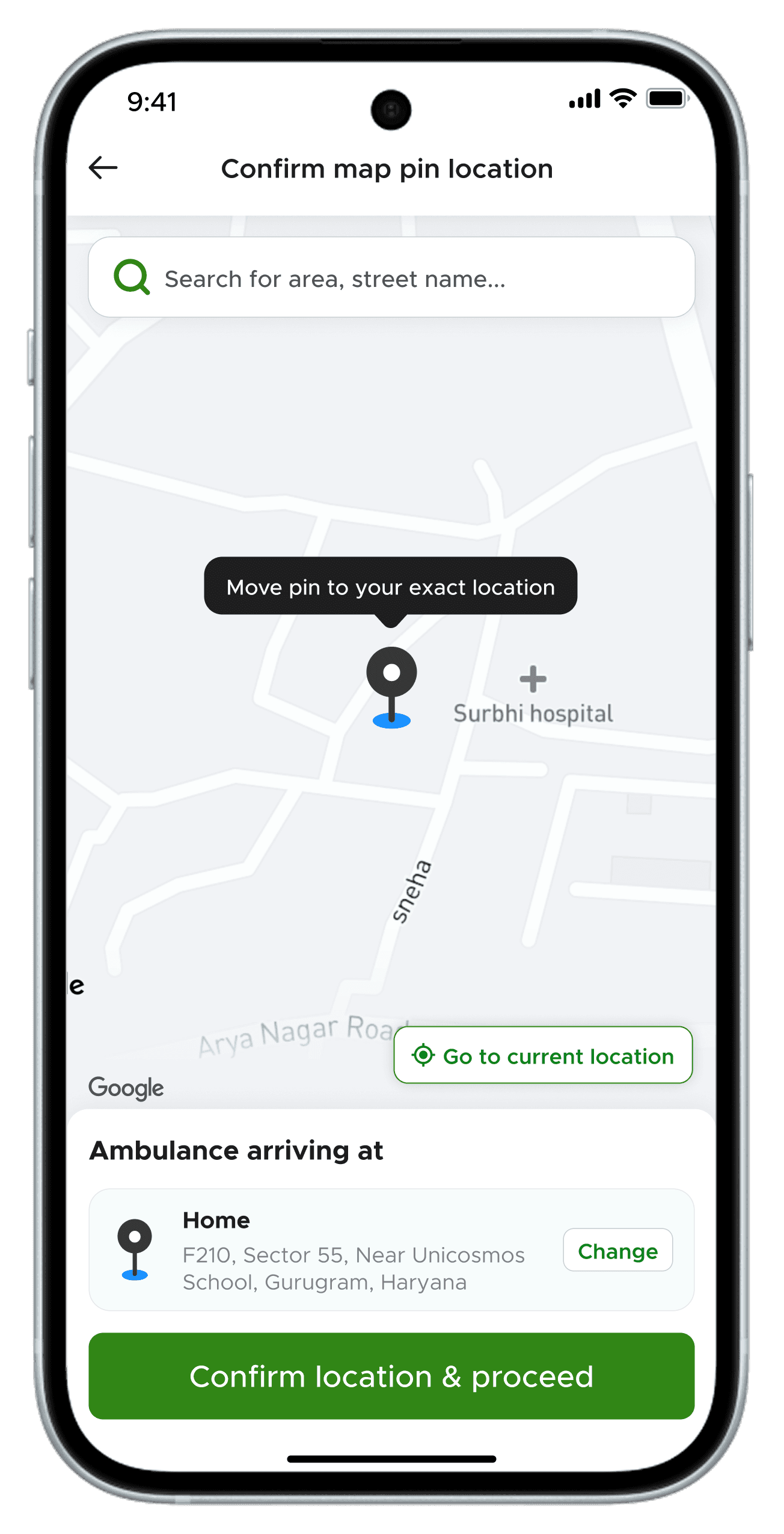
PROBLEM WITH THE BUTTON
Impulsive
A tap takes 0.3 seconds. No physical commitment. Too easy to trigger. The same gesture used to open an app, dismiss a notification, or accidentally book an ambulance out of curiosity.
BEFORE
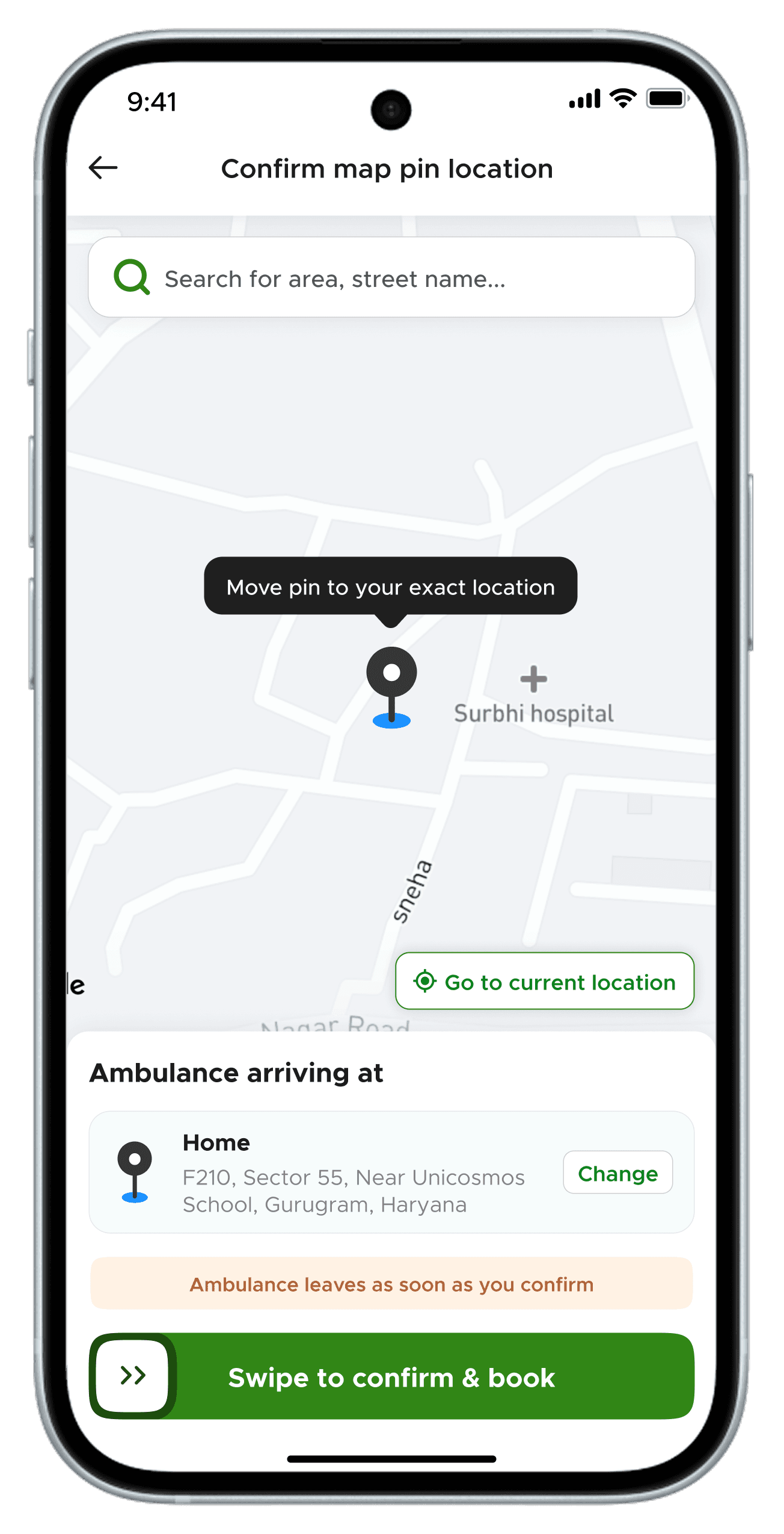
WHY SWIPE TO CONFIRM
Intensional
A swipe is intentional. A deliberate horizontal motion that cannot happen by accident. It filters out people who are just curious or tapping randomly, without adding any extra steps or popups that would slow down someone in a real emergency.
AFTER
A/B TEST RESULTS
BEFORE
150%
For every 100 completed bookings, 150 were cancelled. Cancellations outnumbered real emergencies.
Operational capacity wasted. Real emergencies in the area potentially delayed.
AFTER
↓60%
Drop in cancellations in the test group
One gesture change. No extra screens, no confirmation modals, no friction added to genuine emergencies. Rolled out app-wide after the test.
IDEAS WE KEPT ASIDE
(EXPLORATIONS)
How it works
In an emergency, nobody watches a video. The user who needs an ambulance right now will skip it entirely. And the user who is casually exploring doesn't need a video; the page itself already explains the service clearly enough.
CTA button iterations
Explored pulsing and gradient CTAs to signal urgency. Dropped them, too much motion made the button feel anxious, not confident. In a crisis, the CTA needs to feel stable.
Dark and light mode
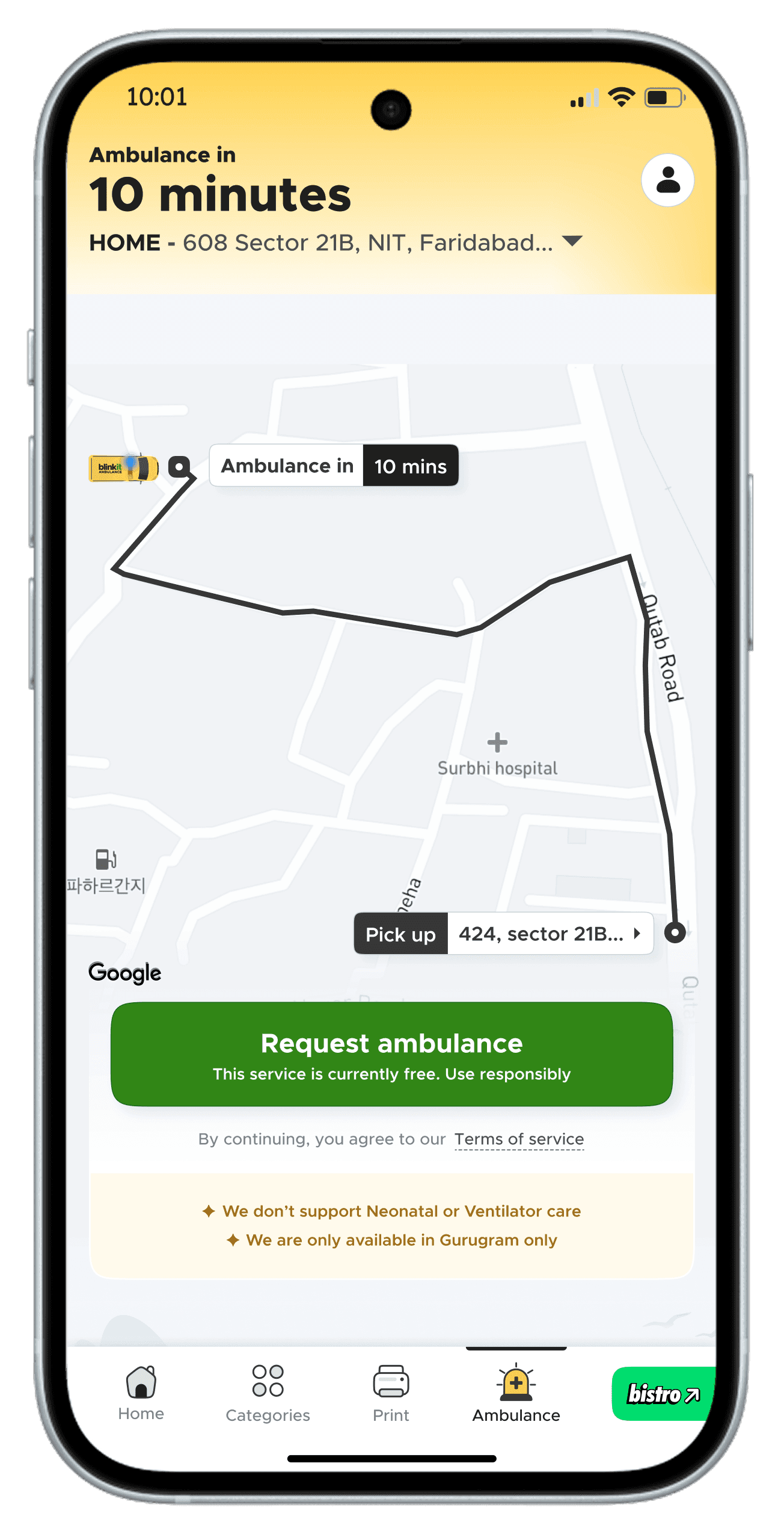
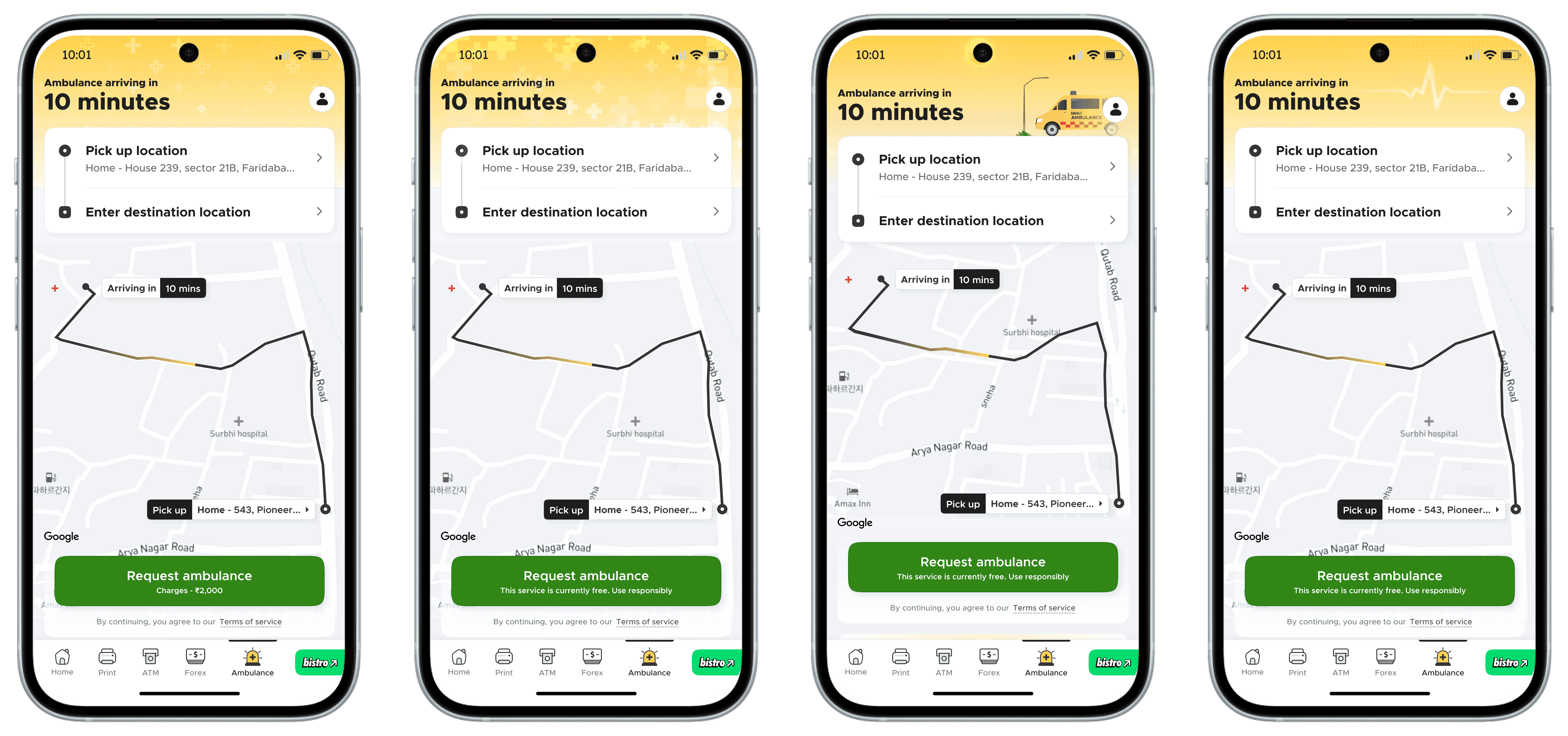
Header explorations
The Donation Flow
We built a voluntary donation flow into the post-trip experience. Not a payment. A contribution, for users who want to give back. Designed around an impulse that was already there.
Post-Trip Feedback
The goal is structured, in-app feedback tied directly to each booking, not app store reviews, not surveys. Feedback that we can act on.
Impact
& Current status
9482
SAFE TRANSFERS
8 mins
AVG. RESPONSE TIME
87%
OF PATIENTS REACHED <10mins
32
AMBULANCES
Available in select areas of Gurugram & Delhi
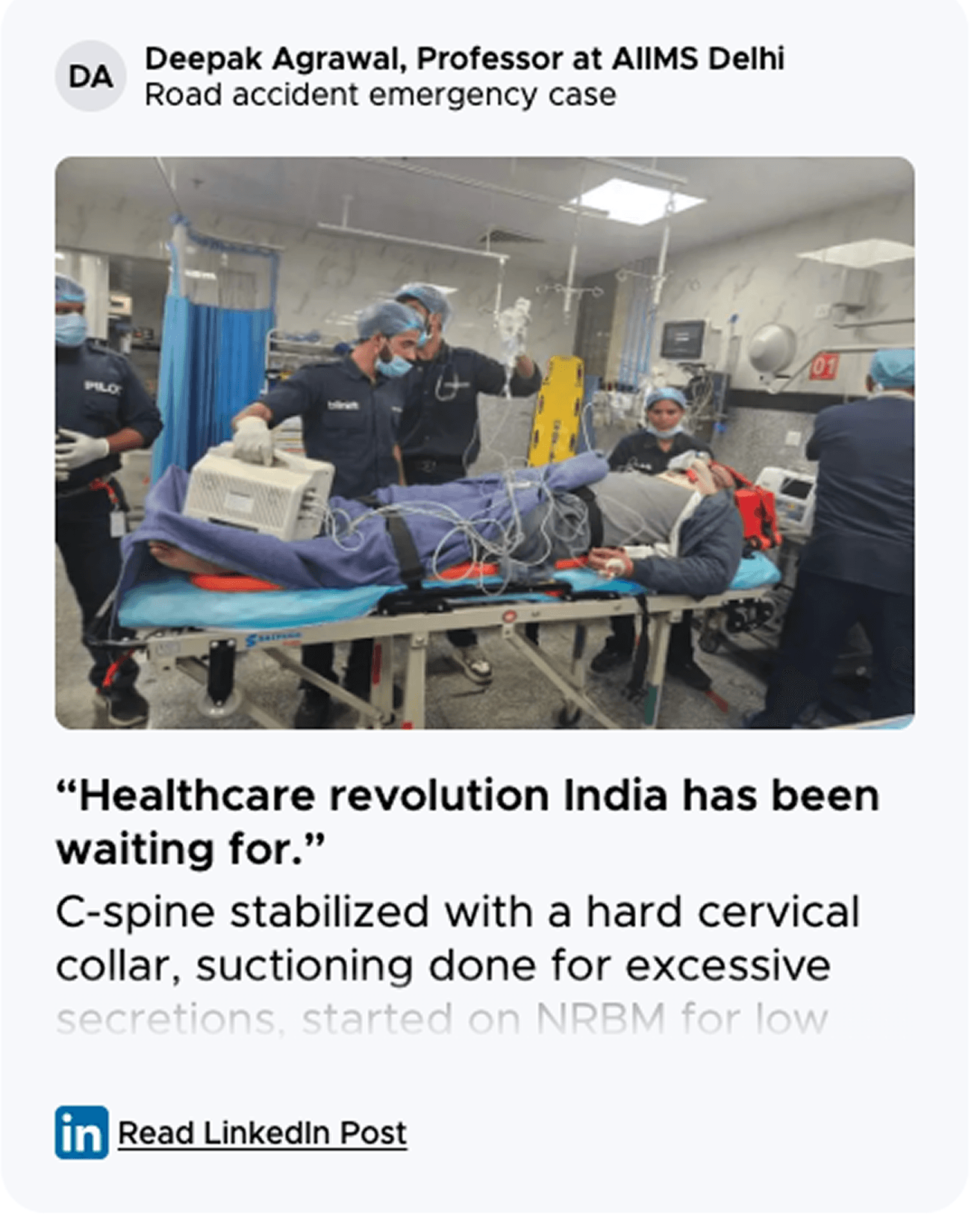
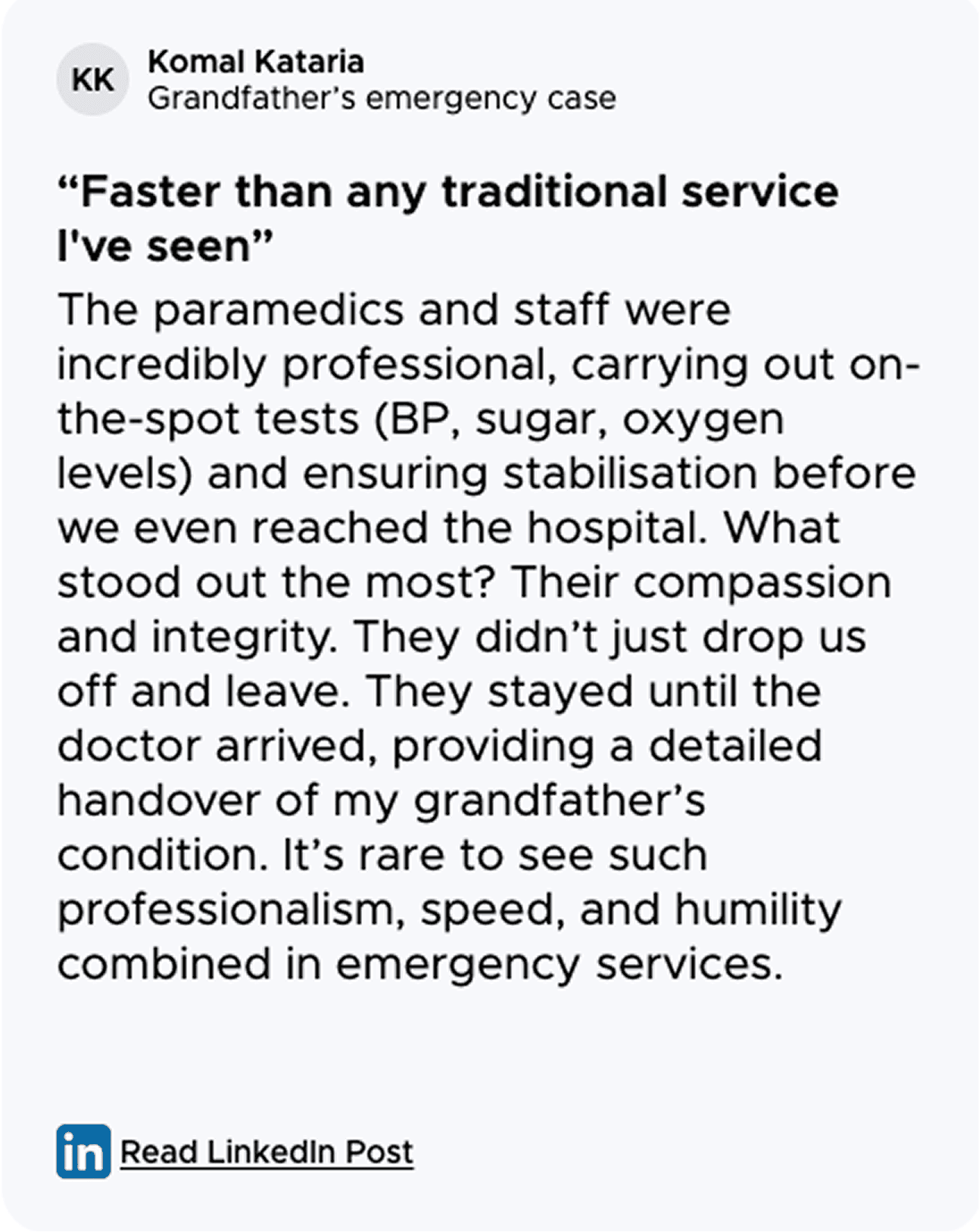
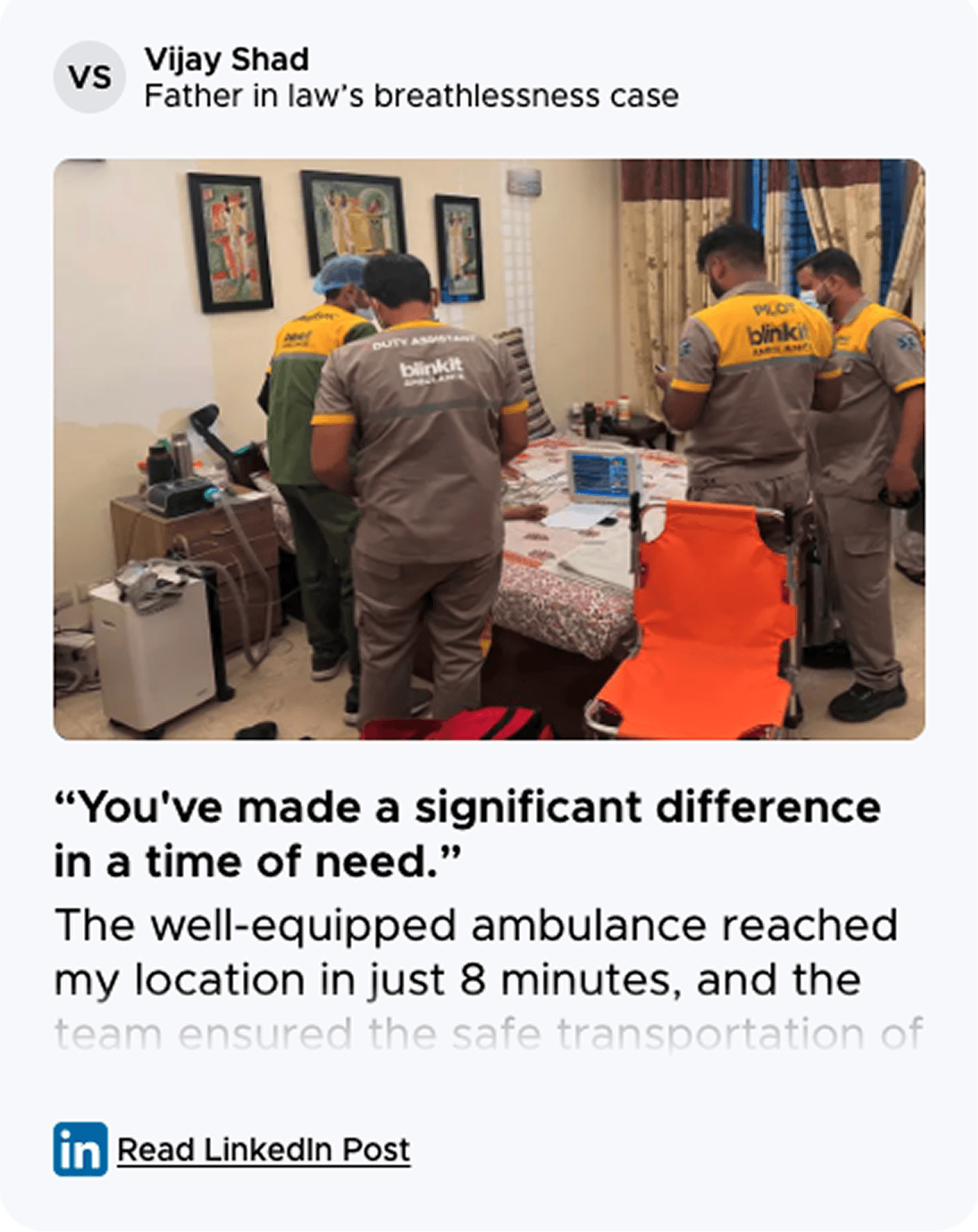
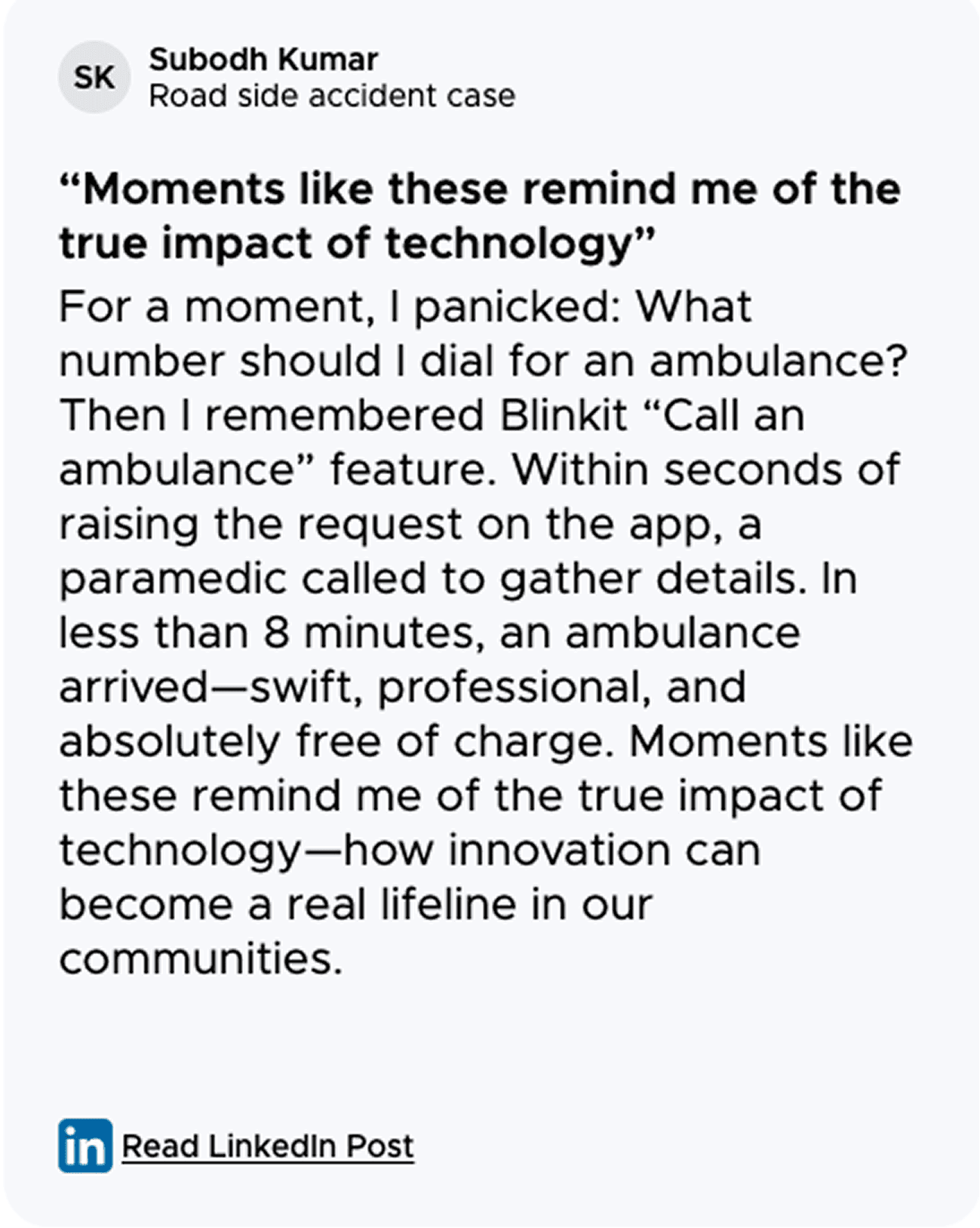
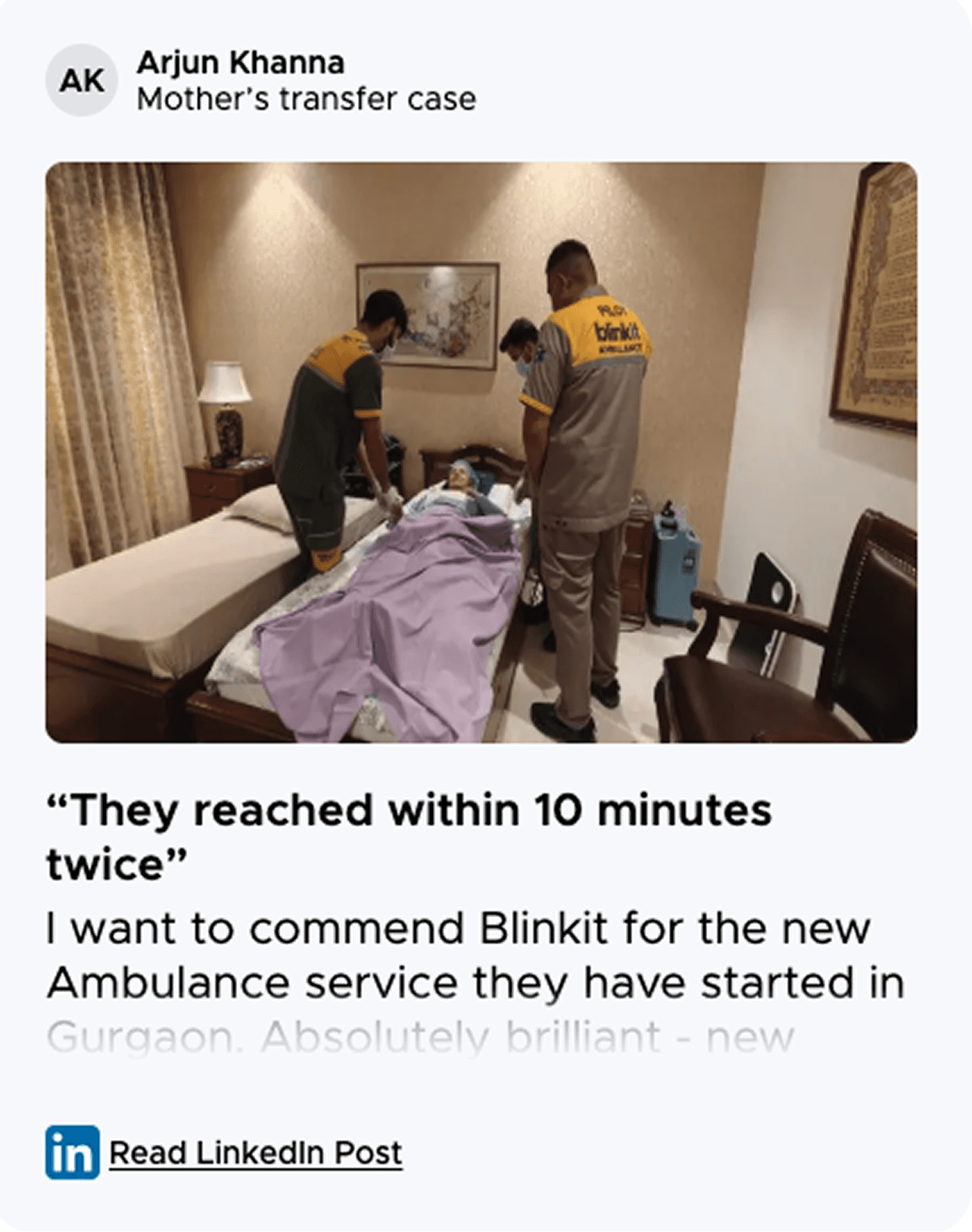
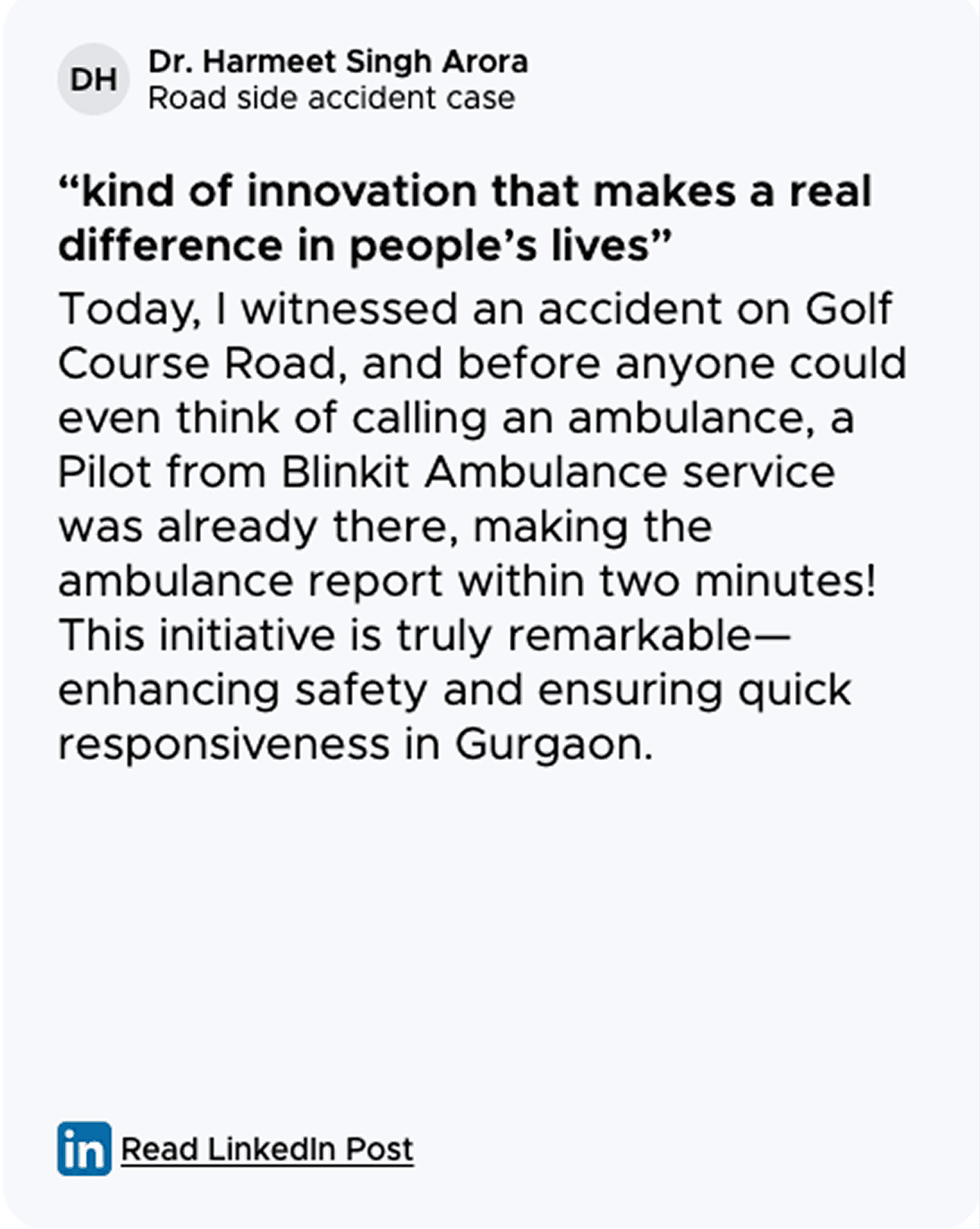
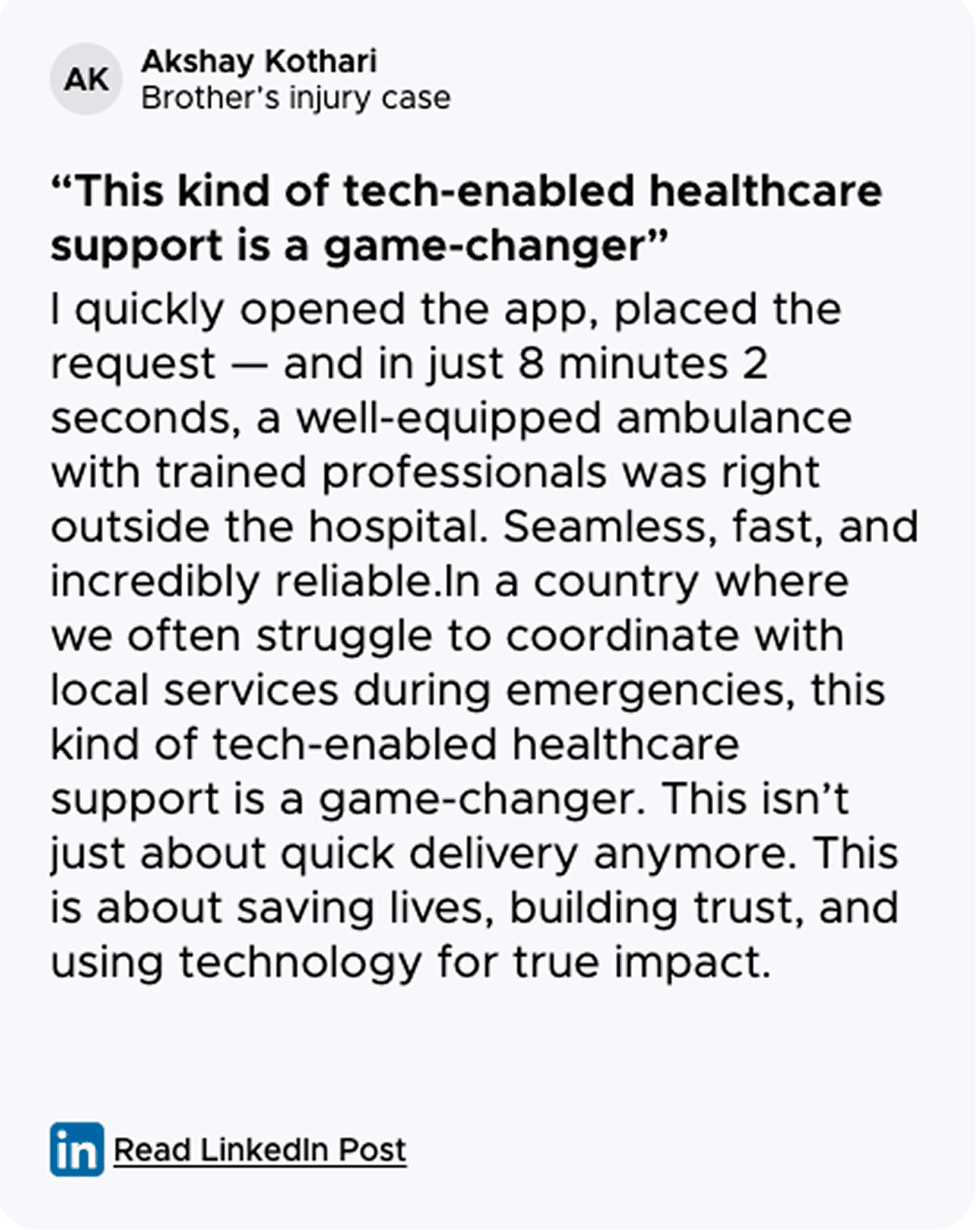
STORIES FROM THE MOMENTS
IT MATTER THE MOST
LESSONS THIS PROJECT TAUGHT ME
LESSON 01
Trust is a design deliverable, not an assumption
We assumed users would trust Blinkit with a medical emergency because they use it every day for groceries. They didn't. Trust doesn't transfer automatically between contexts; especially when the stakes change dramatically.
I used to think trust was something a brand earned over time, outside of any single product decision. This project showed me that trust has to be designed into the screen, at the exact moment the user needs to feel it. Every element on that confirmation screen had one job: close the gap between "I use Blinkit" and "I trust Blinkit with this."
LESSON 02
Behavioural design isn't about making things easier. It's about making the right things intentional
The cancellation problem looked like a UX failure. It wasn't. Users knew exactly what they were doing; they just didn't feel the weight of it. The interface was too frictionless for something this consequential.
A swipe isn't harder than a tap. But it's deliberate. It requires a physical commitment that a tap doesn't. Good design sometimes means adding the right amount of resistance; not to slow people down, but to make sure the people who proceed really mean it.
THE FINAL THOUGHT
The trust and intention are design problems, not brand problems or behaviour problems.
They live in the screen. They live in the gesture. And if you don't design for them deliberately, you'll find out the hard way, after launch.
GO BACK TO THE SELECTED WORKS
This will hide itself!

Blinkit’s 10-Minute Ambulance: A UX Case Study in Emergency Response